Run coding agents in parallel
without keeping the plan in your head.
Starting several agents takes a minute. After that, you have to remember which branch each agent took, which task waits for which, who stopped to ask you something, and what has been merged.
Buzzpot is a Mac app where you run multiple AI coding agents on one project, and all of that bookkeeping sits on a canvas. You decide what gets done and in what order. Buzzpot keeps track of it.
Claude · Codex · Grok · macOS
Five things you track by hand when agents run side by side.
With one agent running, you need none of this. But with two or three in the same repo, the list below becomes your job. None of it is about code.
| You keep track of | By hand | In Buzzpot |
|---|---|---|
| Which branch is whose | A worktree per agent, with names you make up | Each task gets its own branch and copy |
| What waits on what | A note, or your memory | A link between two cards |
| Who is stuck | You go through every terminal | The card says Waiting for input, and you get a notification |
| Who finished and who went quiet | You read the last lines of output | A card turns Done only after its agent reports it |
| What has been merged | git log, and merging in the right order | Finished cards merge back one at a time |
Take one run as an example.
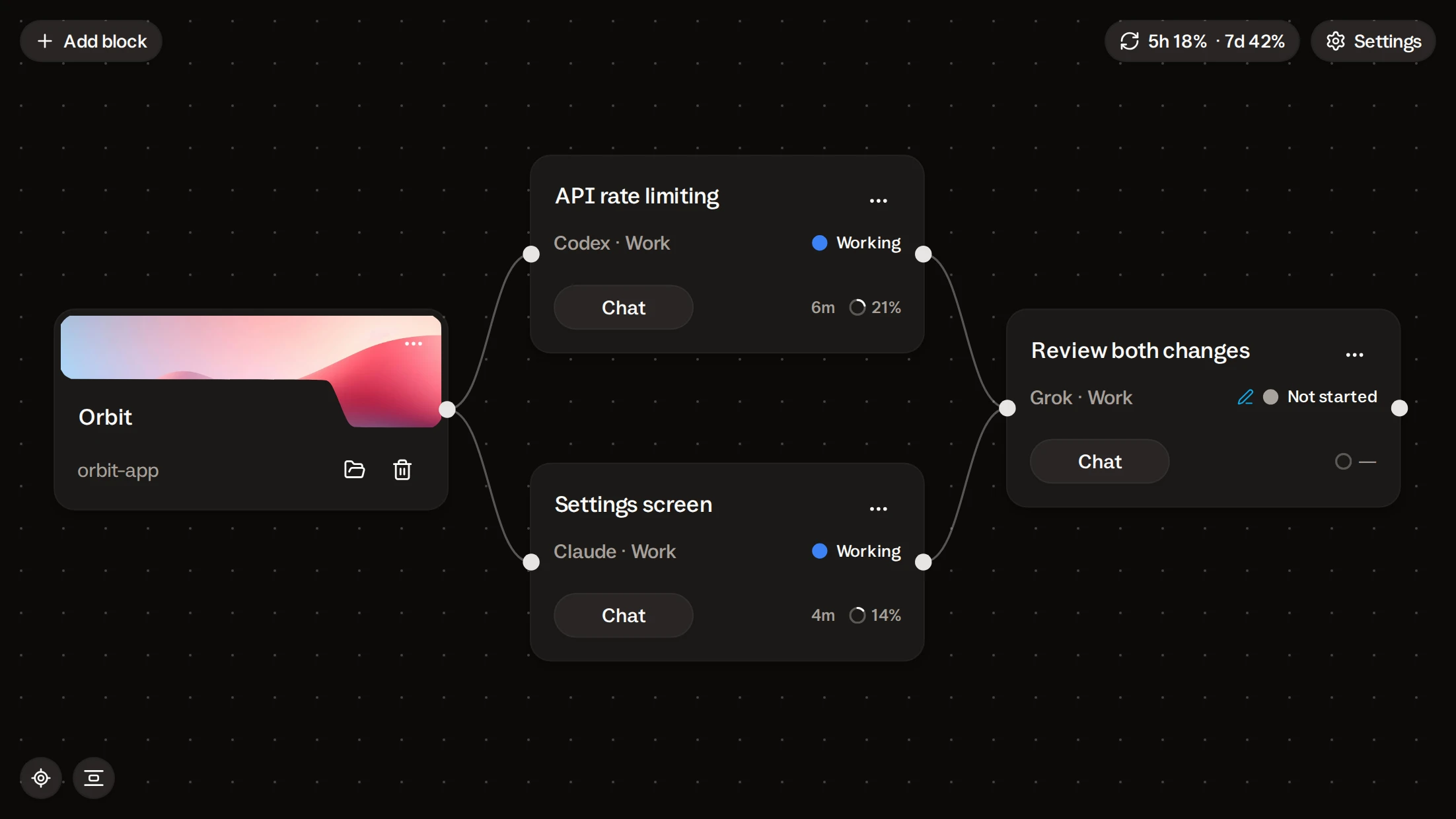
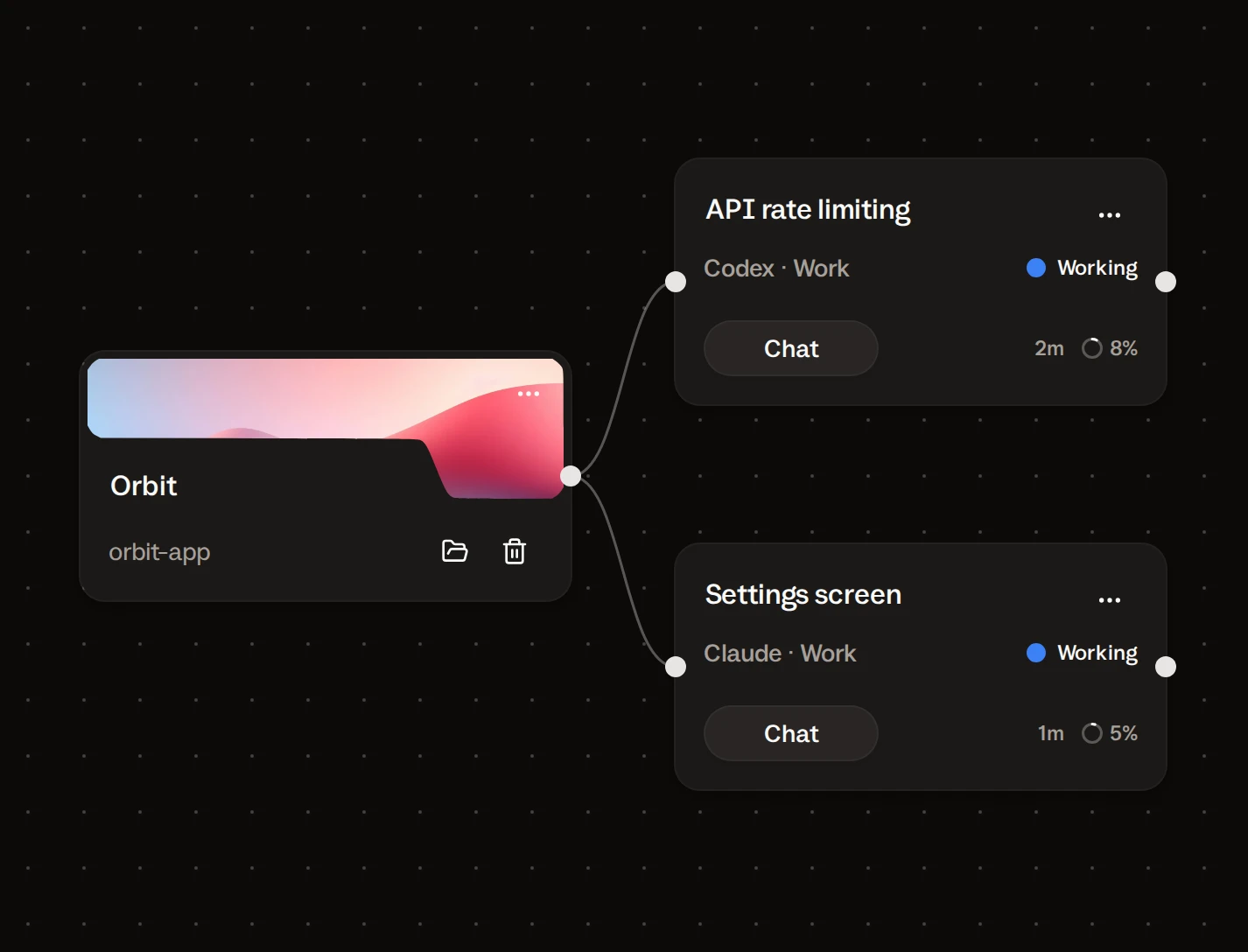
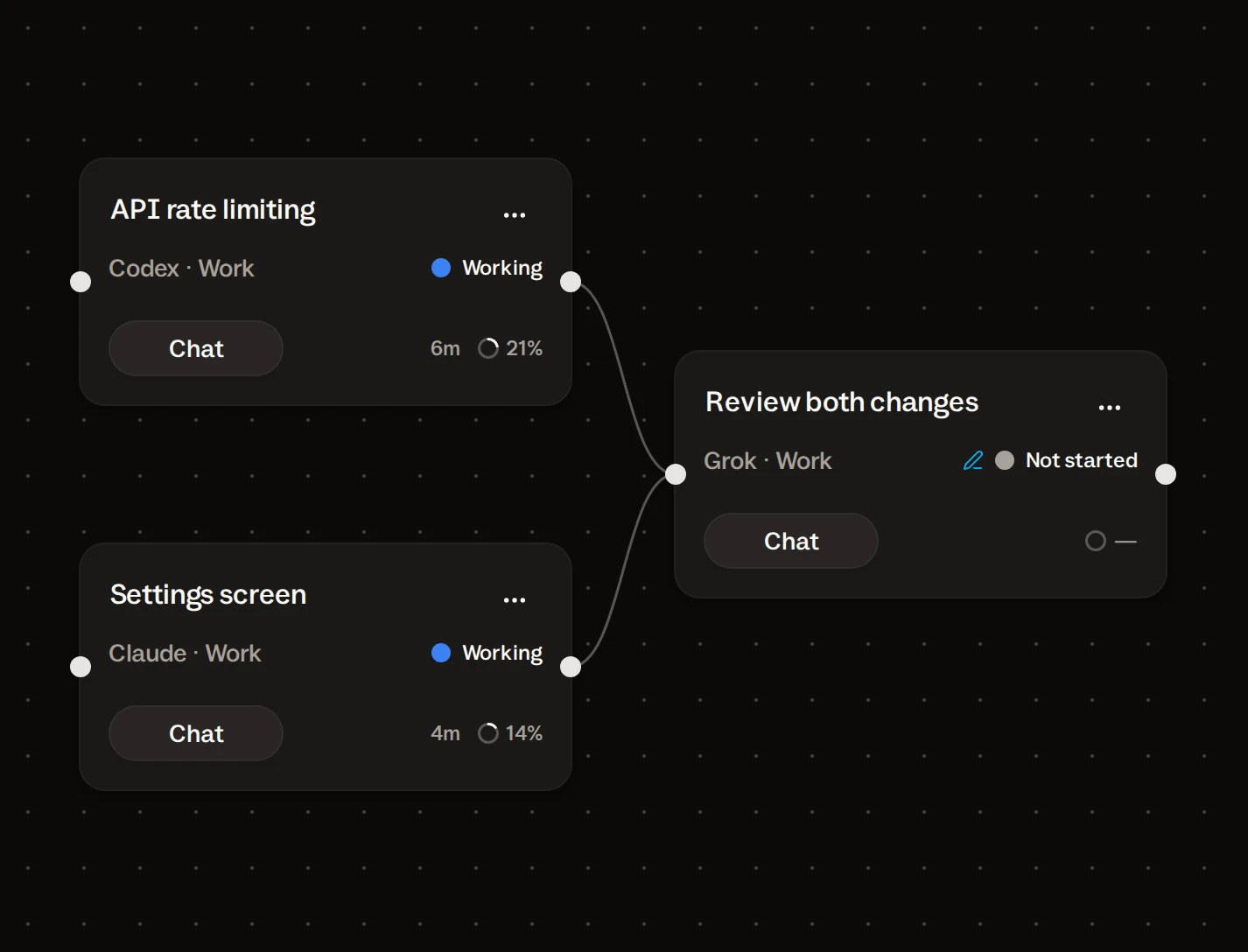
Let’s take one example and walk through it. Say your project has three tasks. The first two don’t depend on each other, so you can hand them to two agents at once: Codex extends the API, Claude reworks the settings screen. The third task is to check both pieces of work, so it starts only when the first two are finished and their code is in the project.
Each task gets its own copy of the project.
Put two agents in one folder, and sooner or later one saves a file over the other’s edits. The usual fix is a Git worktree per agent: a separate folder on a separate branch. It works, but it leaves you with folders to create, name, remember to merge, and then delete.
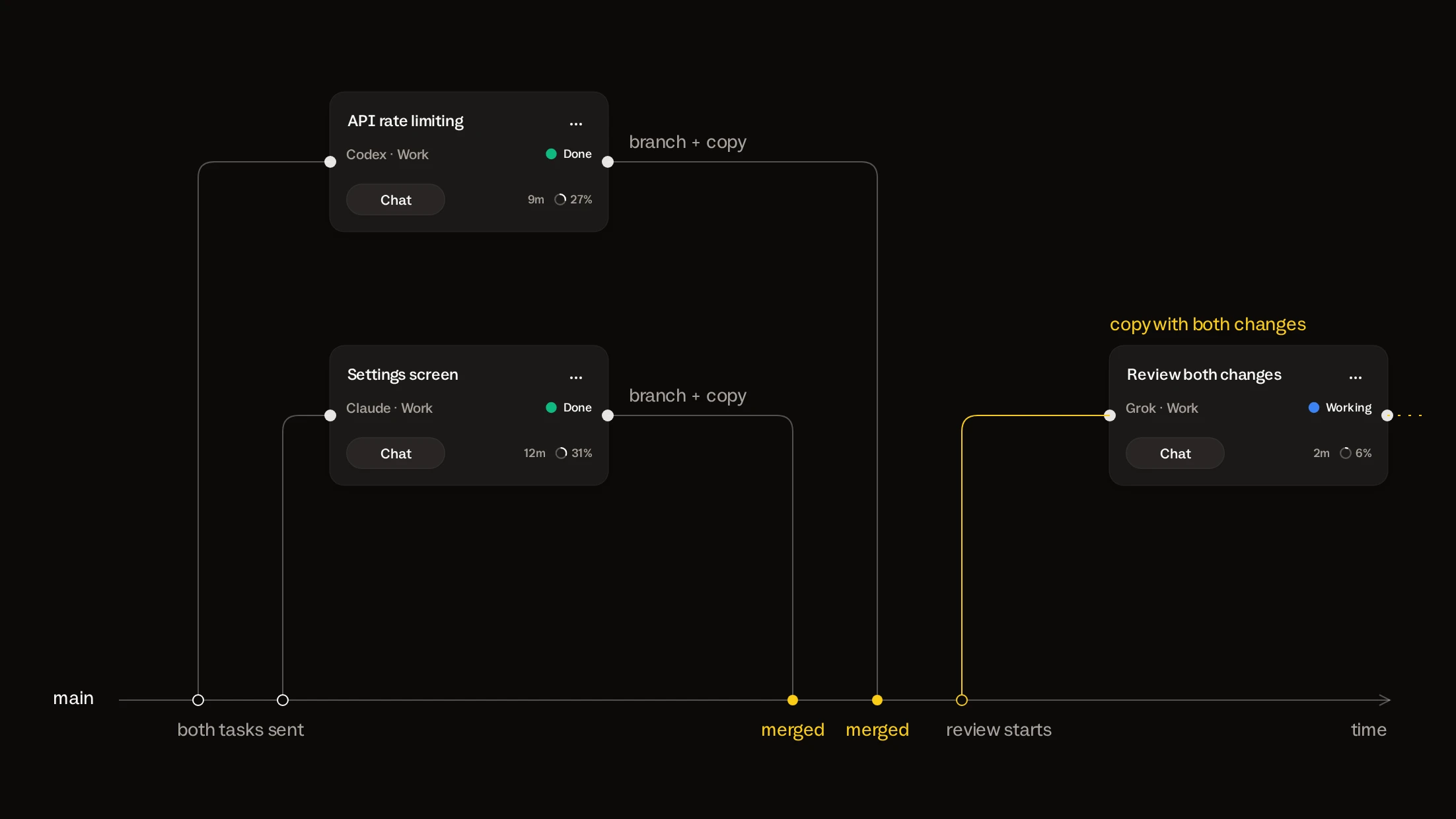
Turn on Isolated workspaces for the project, and Buzzpot takes that part over. When a task starts, it gets a branch and a private copy of the project as it was at that moment. The API task and the settings task don’t see each other’s half-written files.
You don’t create, name, or clean up anything. The branch and the copy belong to the card.
The review waits because you decided so.
The review should start once both tasks are merged. By hand, it goes like this: you come back, check that both finished, and start it yourself. If you’re away, it starts when you remember. If you remember.
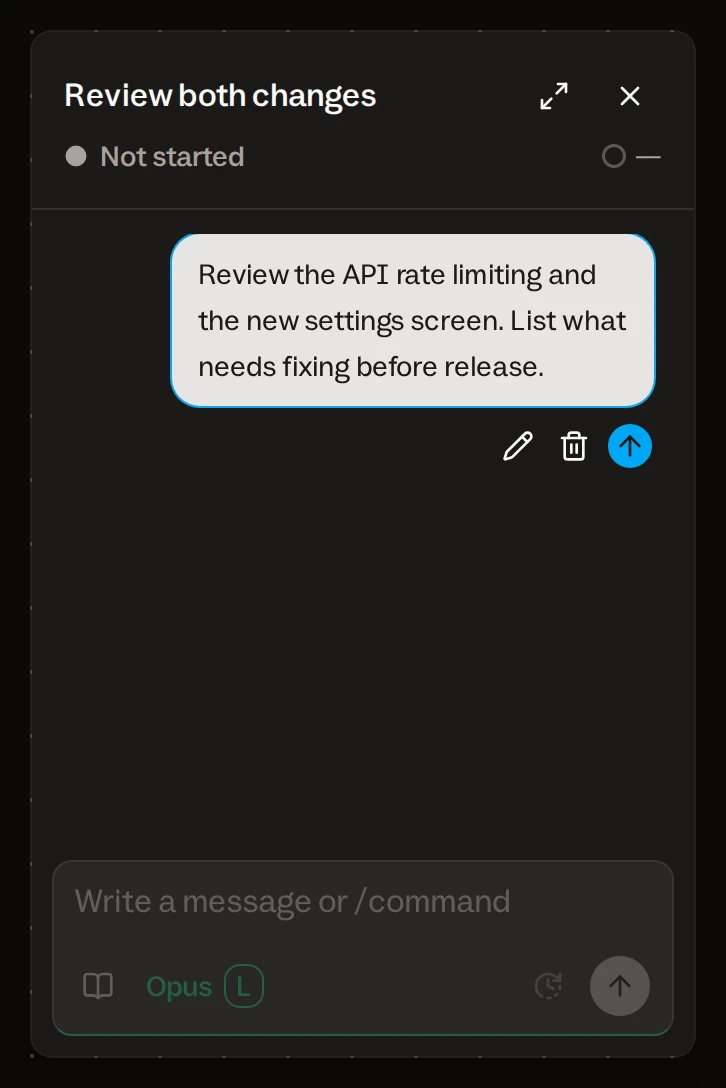
On the canvas you draw a link from each task to the review card and leave a message on it ahead of time. Buzzpot sends it when both cards are Done. Until then the card holds the message and does nothing.
Cards with no link between them don’t wait for each other. That is all parallel means here: no link, same time.
A stuck agent lets you know.
A parallel run loses most of its time to an agent that asked a question twenty minutes ago and has been waiting since. In a terminal you find out when you look.
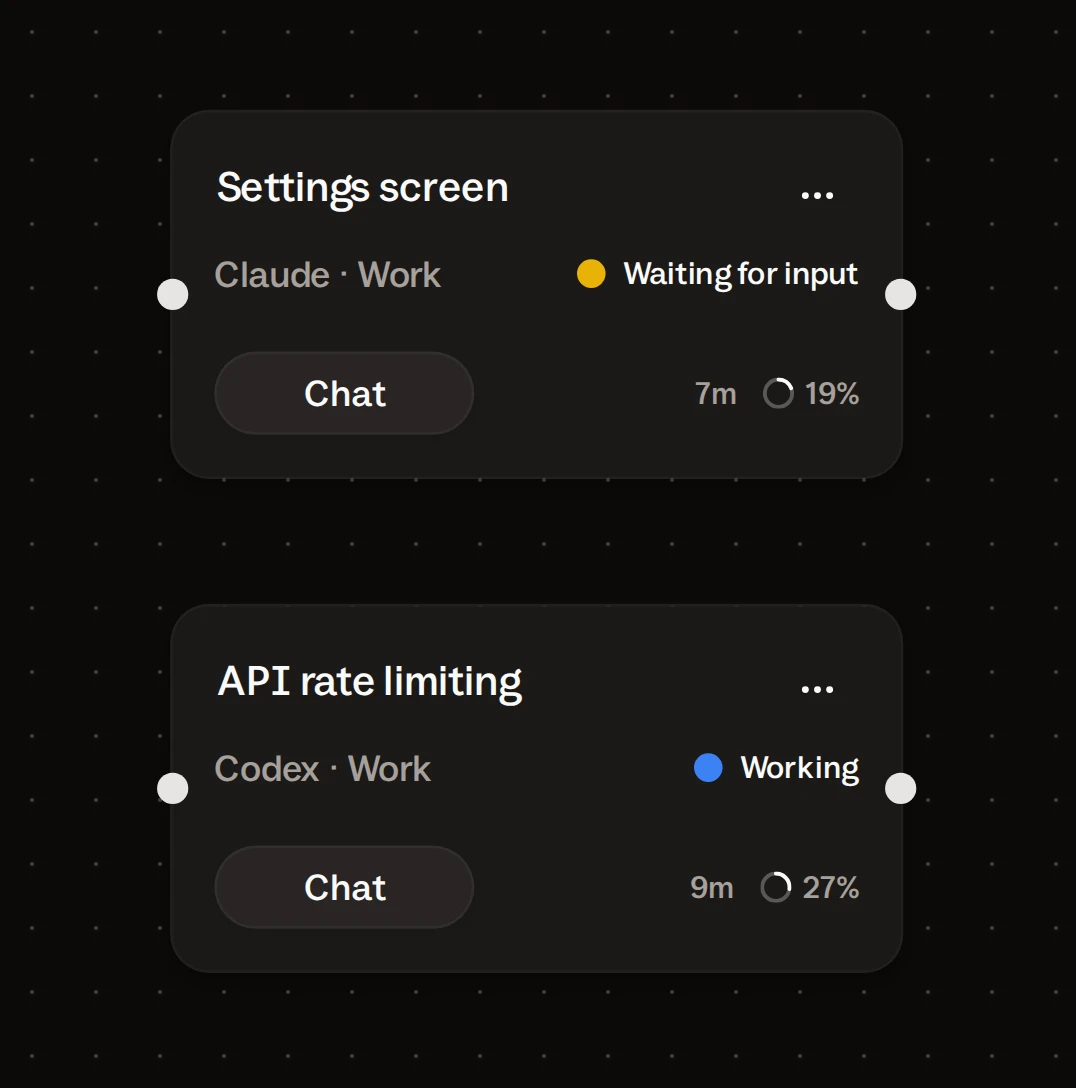
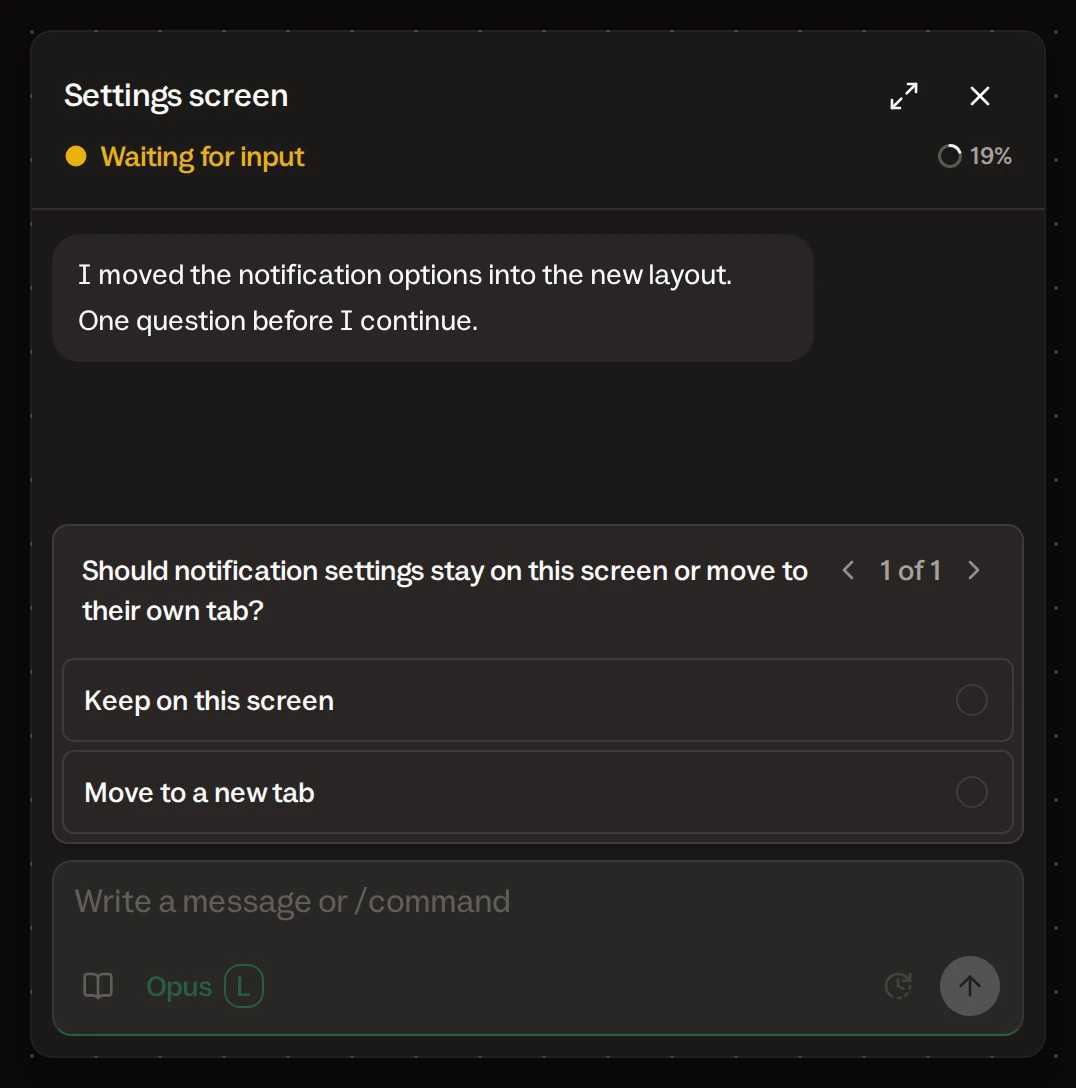
When an agent asks something or needs a permission, its card changes to Waiting for input and Buzzpot sends a notification. The other task keeps working. You open the card, answer in its chat, and the agent goes on.
If a run breaks off, the card says so in its own word: Stopped, Limits, or Failed. With remote control on, the question reaches your phone too, and you can answer from there.
Finished, or just quiet?
An agent that stops writing has either finished or stalled. From the outside the two look the same, and you read the tail of its output to work out which.
In Buzzpot a task ends when the agent says so. Every agent has a “done” tool, and the card turns Done only after the agent calls it. An agent that just goes quiet stays Working: its work isn’t merged, and the review doesn’t start on half a change.
If that happens, write to the agent in the same chat. It continues in the same copy, from where it stopped.
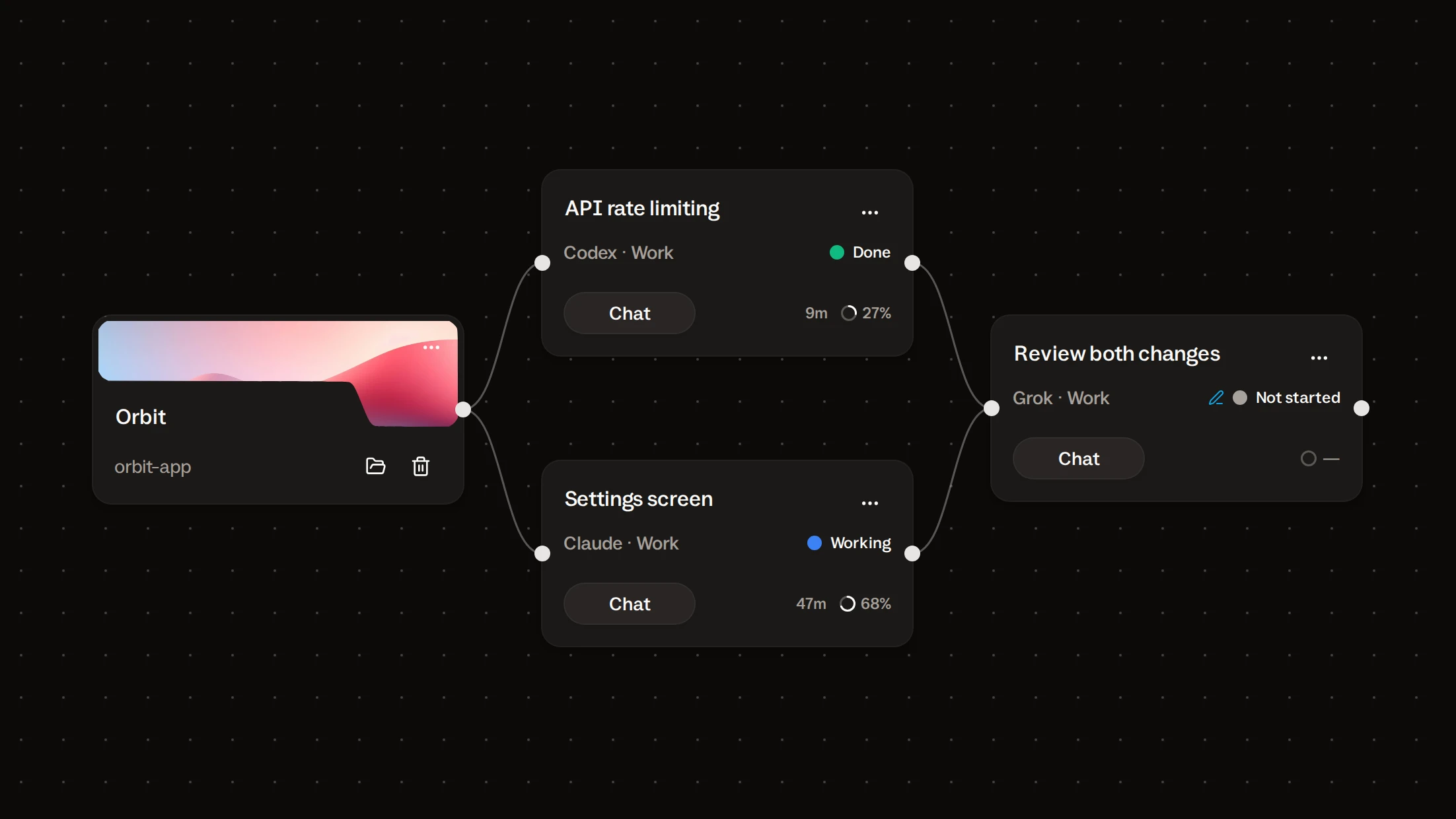
Merged back, one at a time.
Two finished branches still have to become one project. By hand you merge the first, update the second, merge that, and hope you kept the order straight.
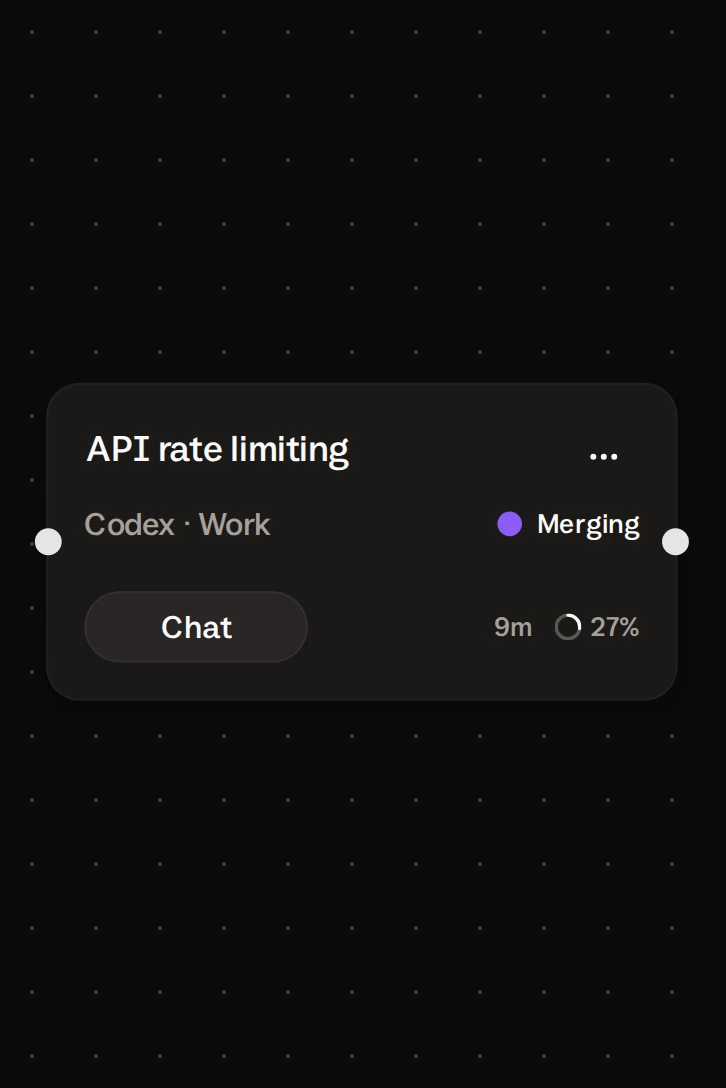
With Isolated workspaces on, a card merges its work into the project after its agent reports done. If both tasks finish in the same minute, they merge one after the other. The review then starts from a project that has both changes.
A merge doesn’t always go clean. On a conflict, that card’s agent gets one attempt to resolve it in its own copy. If it can’t, the card stops and waits for you, and the other task isn’t held up.
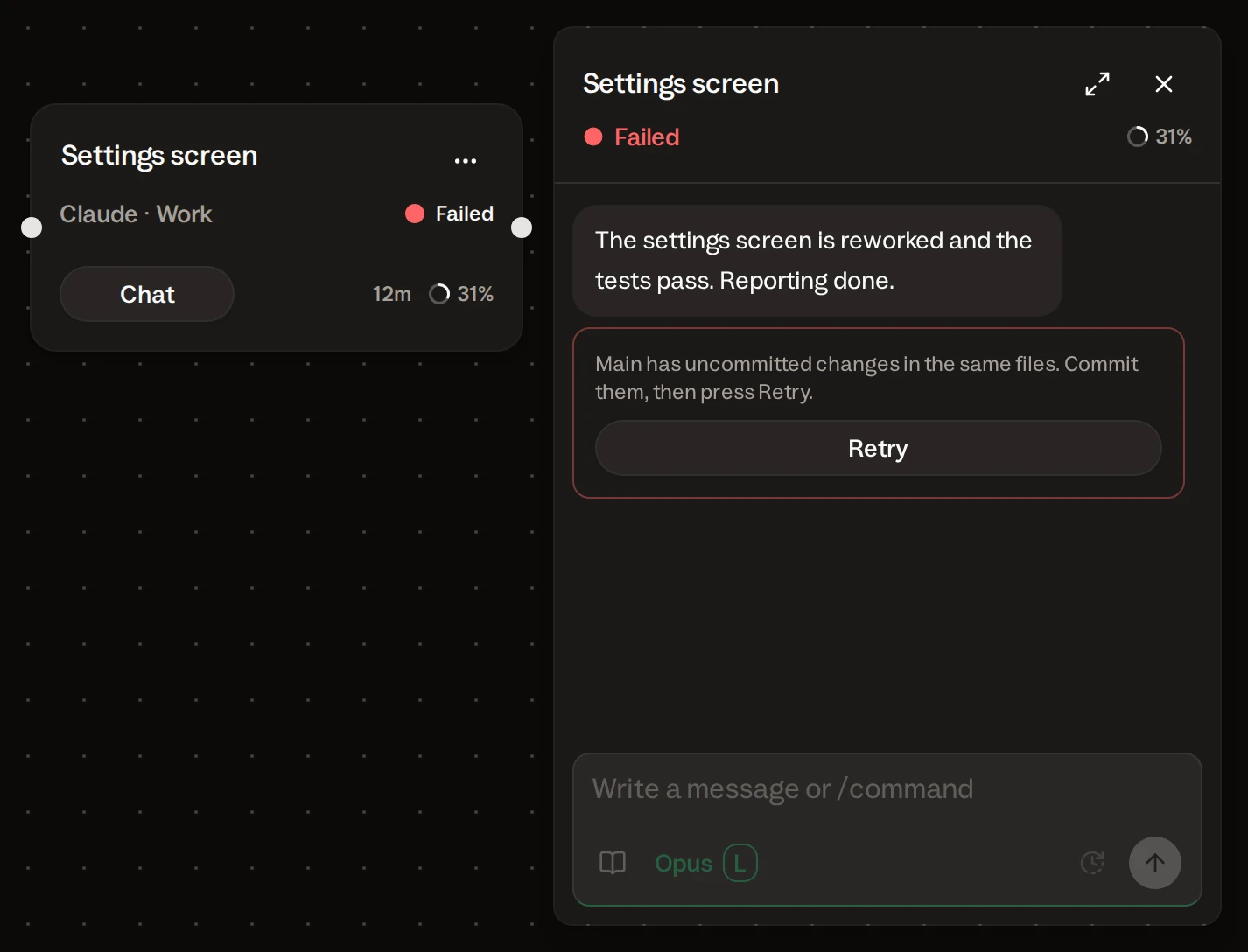
One more safeguard: if you have uncommitted edits in the files the merge would touch, it refuses before it moves anything. Commit them and press Retry.
What stays in your head.
Buzzpot does the bookkeeping. The thinking is still yours.
| Still yours | Why |
|---|---|
| Splitting the work into tasks | Buzzpot doesn’t decide what runs in parallel. You can ask an agent to lay out the cards for you, but you still check them. |
| Picking tasks that won’t collide | Isolation keeps agents from overwriting each other’s files mid-run. Two tasks that rewrite the same function will still conflict at merge. |
| Reading the result | Done means the agent reported done. It doesn’t mean the change is right. Put a review card after it, or read the diff yourself. |
| Provider limits | Two agents spend your quota about twice as fast. If one runs out, its card shows Limits and keeps the work until you can continue. |
Start with two parallel tasks.
You need a Git repo and two tasks that touch different parts of it.
- Add a project card and point it at the repo folder.
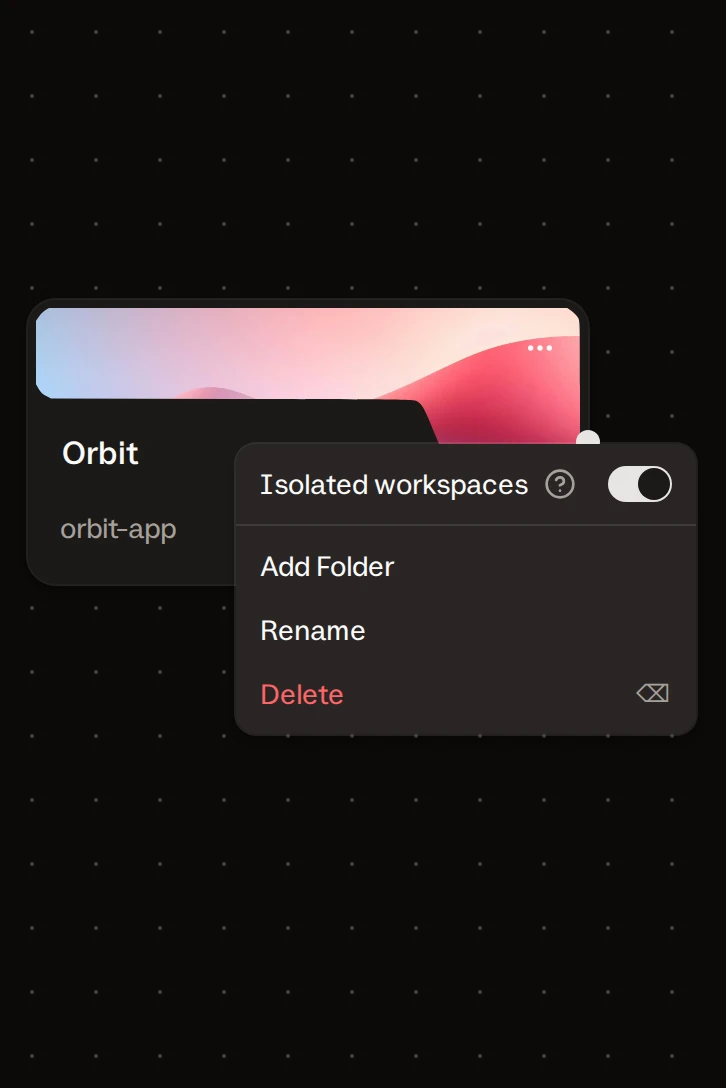
- Open the project card’s menu and turn on Isolated workspaces.
- Add two agent cards linked to the project. Pick an agent and a model on each.
- Write a task on each card and send both.
- Optional: add a third card, link both tasks to it, and leave a message for the review.
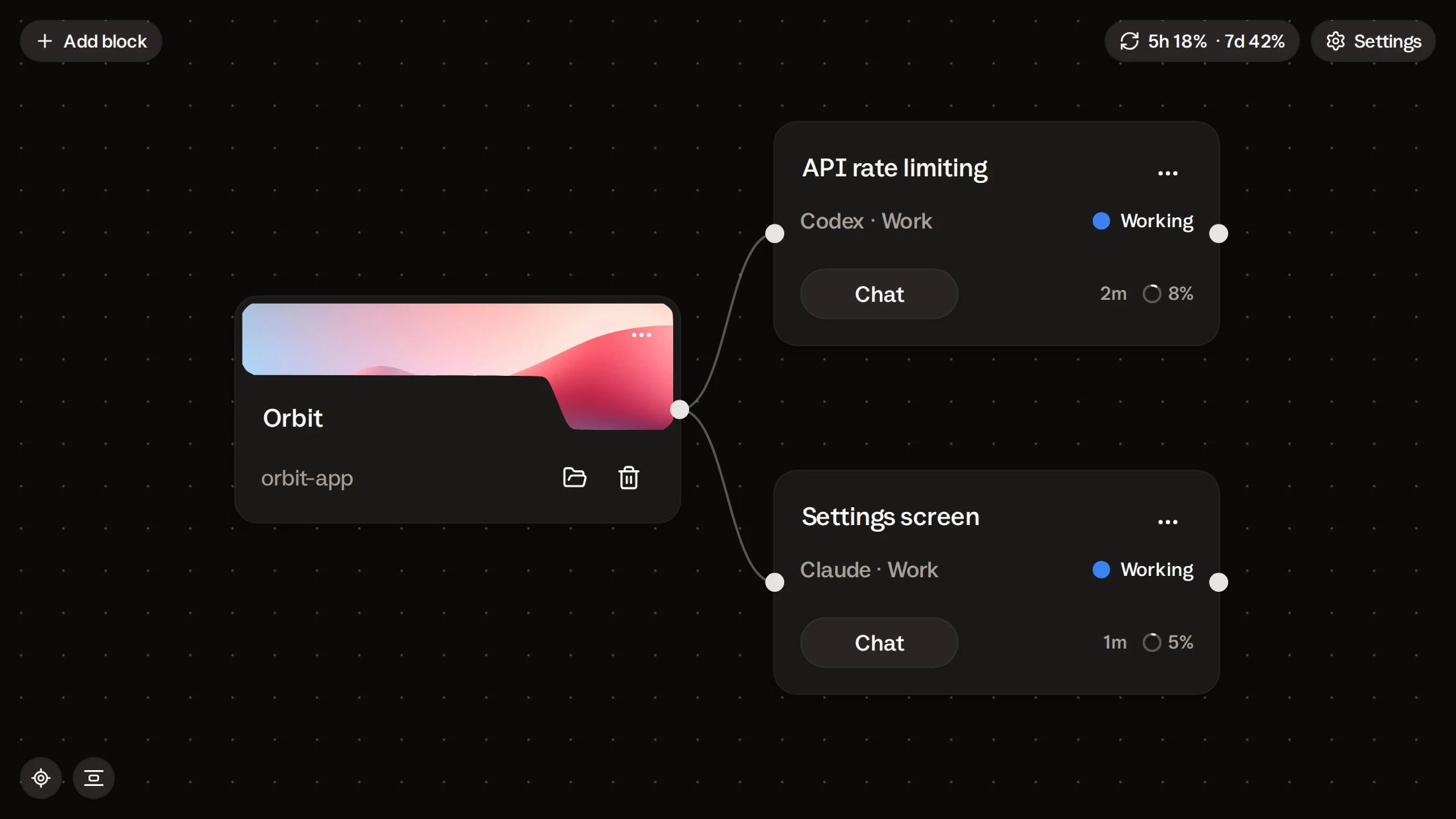
Both cards go to Working. When an agent reports done, its work merges into your repo. You see a whole parallel run on your own code, from the first message to the merge.
Buzzpot is free during the beta. It runs the Claude Code, Codex, or Grok CLI already on your Mac.
Claude · Codex · Grok · macOS
How many agents can I run at once?
As many as your tasks and your provider plan allow. In practice the ceiling is how many pieces of work you can separate so they don’t touch the same code.
Do I need to understand Git worktrees?
No. With Isolated workspaces on, Buzzpot creates a branch and a copy for each task and removes them afterwards. The project only has to be a Git repo.
Can I run agents in parallel without Isolated workspaces?
Yes. The agents then work directly in the project folder and share its files. That suits tasks that only read: research, planning. Two tasks that write are safer isolated.
What if two tasks change the same file?
Each works in its own copy, so nothing gets overwritten mid-run. The overlap shows up at merge: the second card’s agent gets one attempt to resolve the conflict, then the card stops and waits for you.
Can the two tasks run on different agents?
Yes. One card can run Codex and the other Claude, each with its own model and effort level.
Will the next task start if I’m not around?
Yes, if you left a message on it and every card it depends on is Done. If one of them stops with a question, the next task waits. You can answer from your phone.