Run multiple Claude Code sessions and watch them all on one screen.
Say you have three repos and six sessions in the terminal. One session has been waiting for your answer for an hour. Which of the six?
Buzzpot is a Mac app that shows all your Claude Code sessions on one screen. Claude Code itself stays the same. Each session has a status: working, done, or waiting for your answer.
Claude · Codex · Grok · macOS
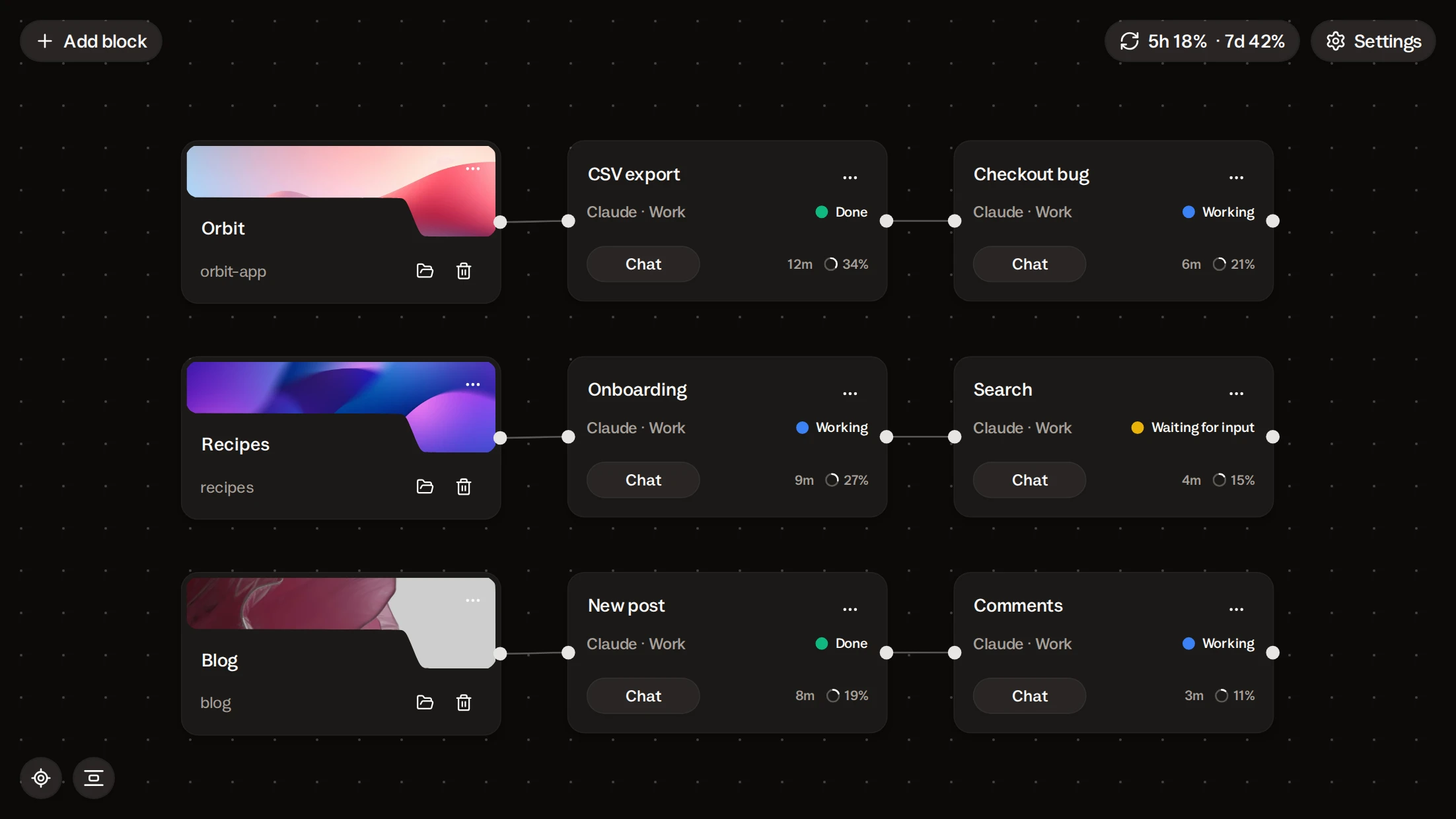
Buzzpot runs your own Claude Code: same login, same plan, same commands.
Buzzpot has no model of its own. It runs the Claude Code that is already on your Mac, with your login and your plan.
Your habits stay with you. You pick the model on the card, the modes are the same, and Shift+Tab cycles through them as it does in the terminal. Slash commands work too, in the card’s chat.
Buzzpot doesn’t change your Claude Code setup. And if you want to go back to the terminal, open it and run claude as before.
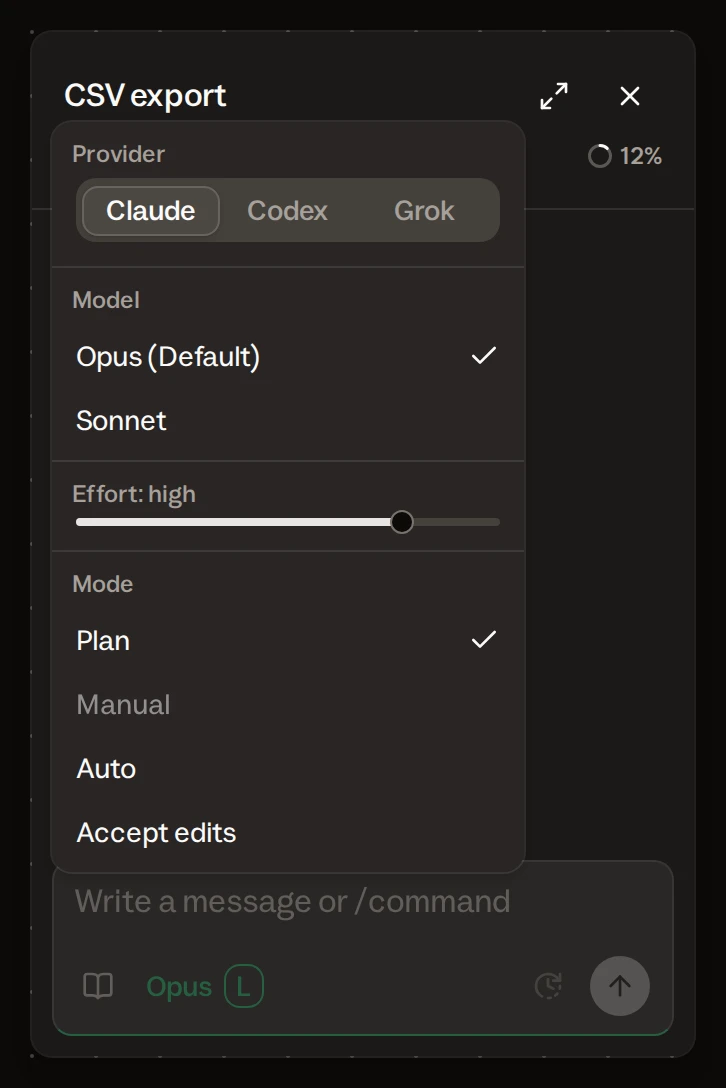
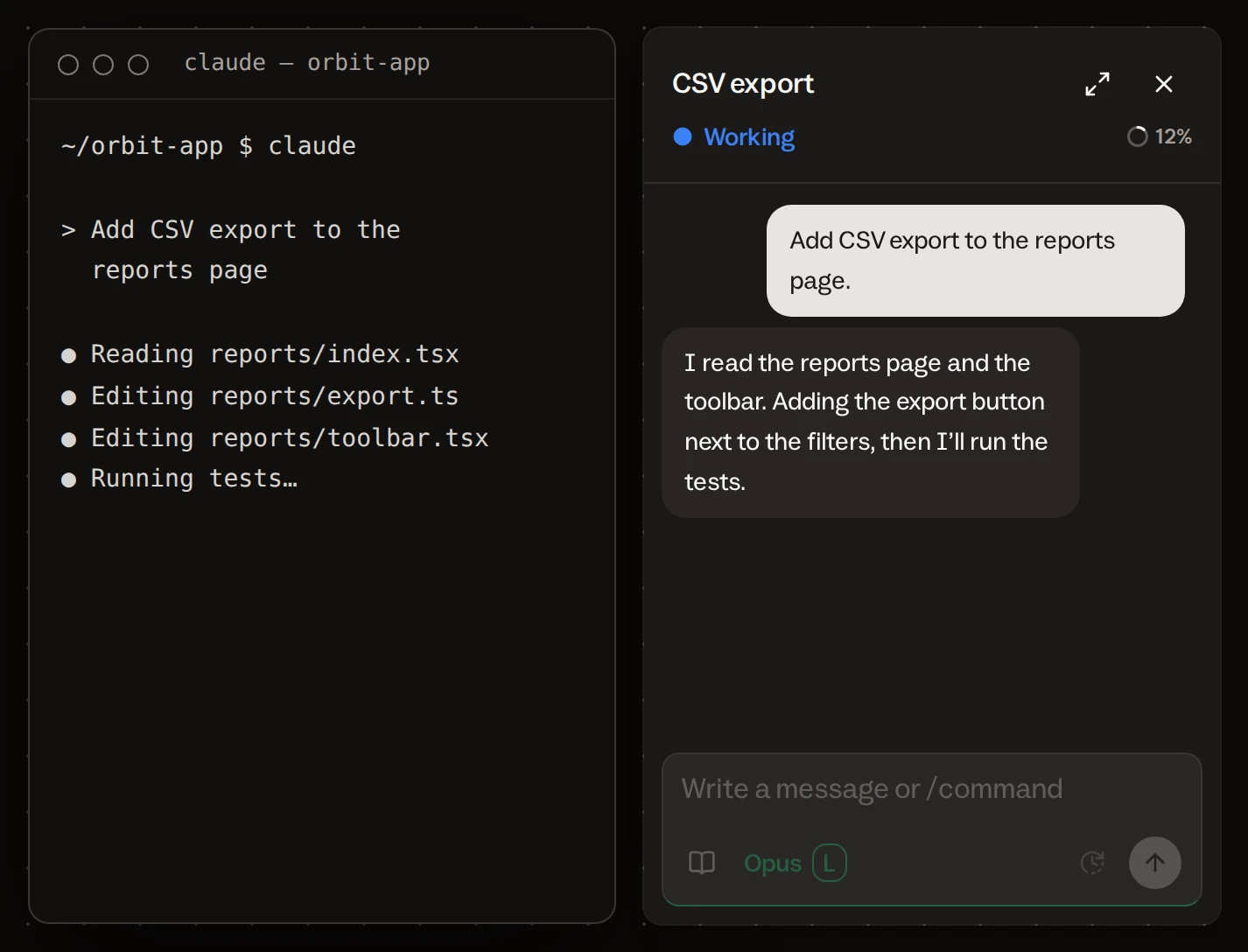
Claude Code runs several tasks by itself, but you keep track of their order.
Claude Code has three tools of its own for running parallel agents. We use them, and we suggest you do too.
| In Claude Code | What it gives you | What stays with you |
|---|---|---|
| Subagents | A session hands subtasks to subagents by itself | You watch which subagent is still working |
| Worktrees | Each session gets its own copy of the repo | You create, merge, and delete the copies |
| Agent view | A list of background sessions with their state | You remember which task waits for which, and you start the next one yourself |
Each tool has one job. But the order of tasks, and the session that is waiting for an answer, are still yours to remember.
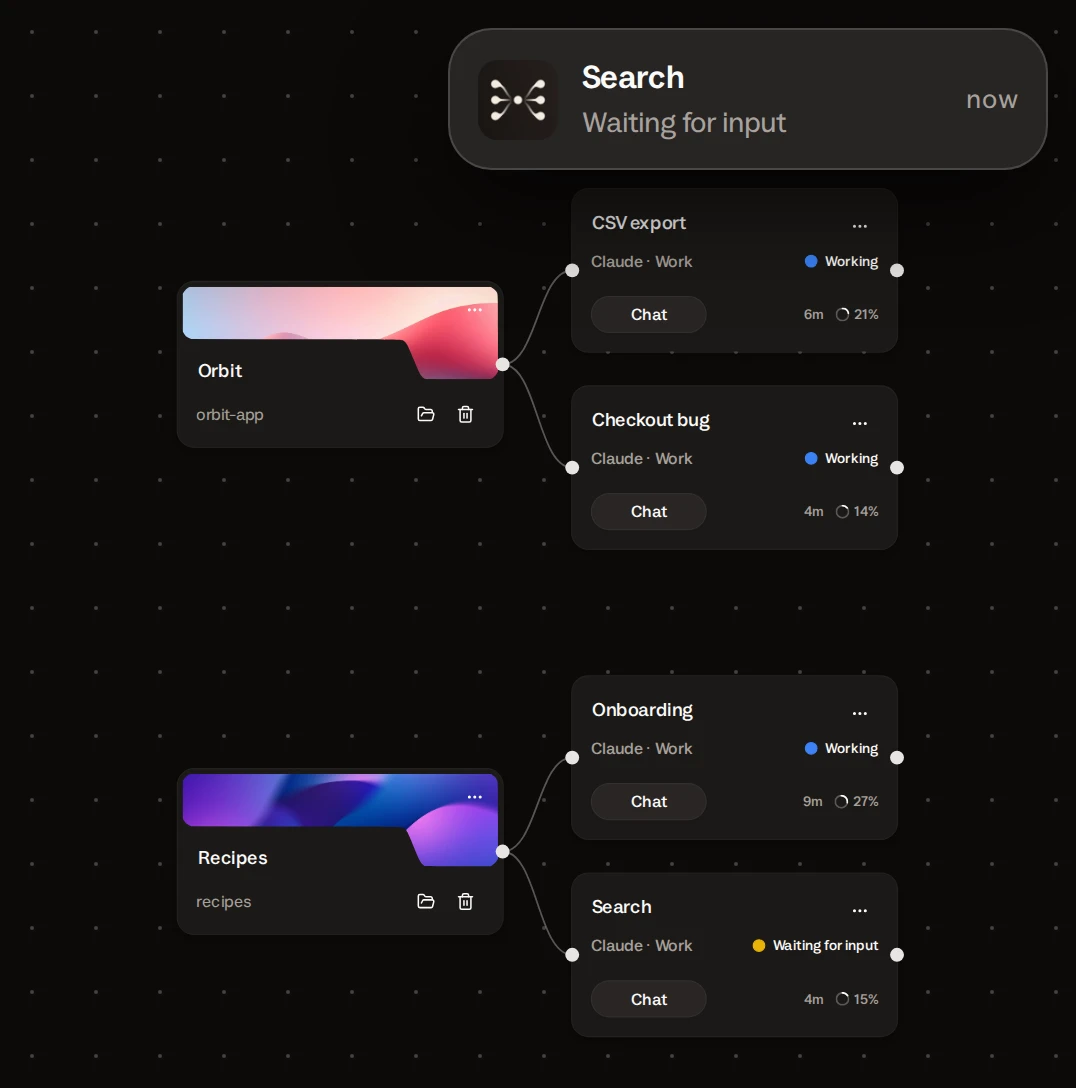
Buzzpot shows the order of tasks and the session that is waiting for an answer.
Claude Code sessions from any of your repos, on one screen.
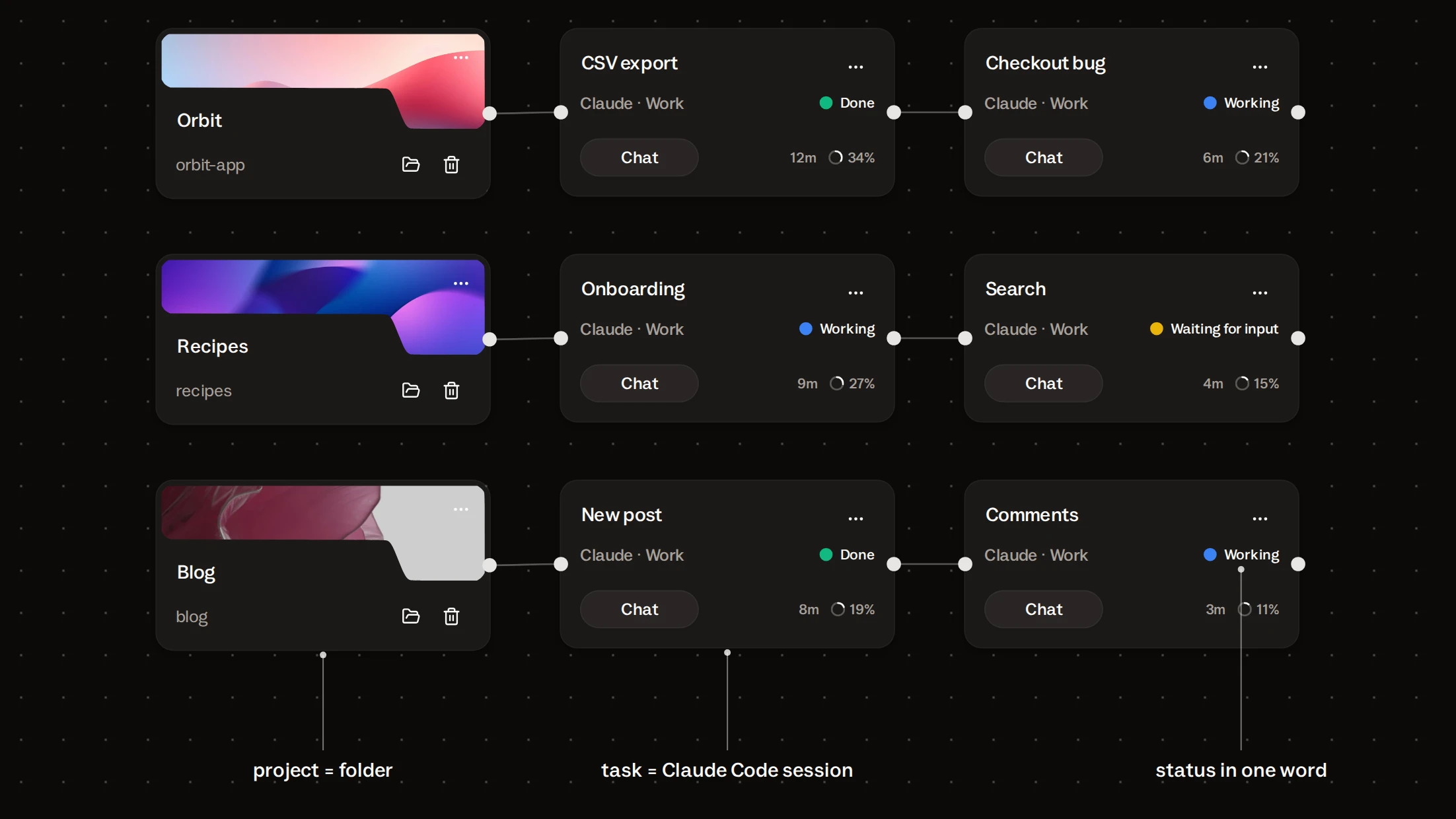
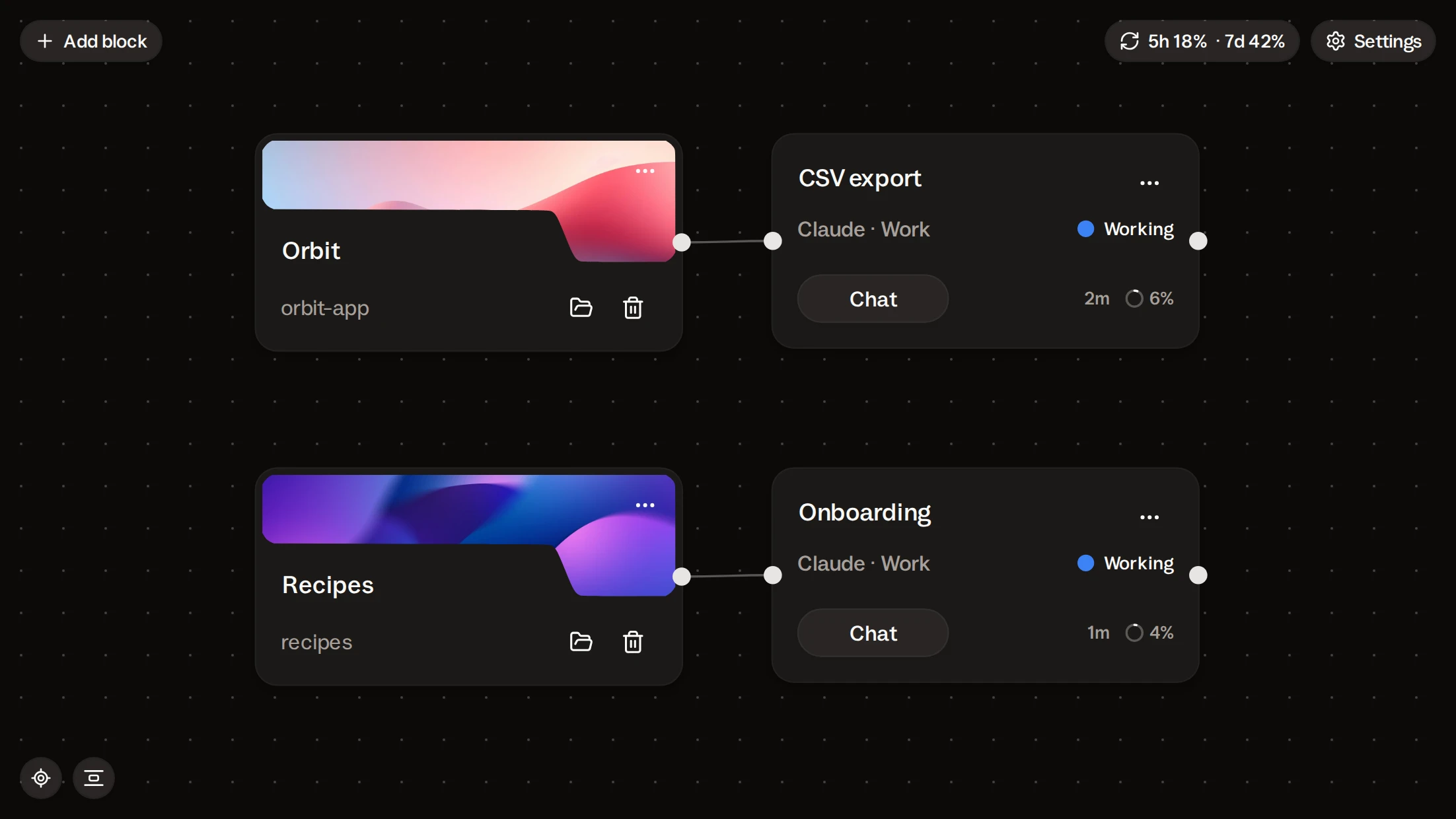
A project card is a folder on your disk. That project’s tasks sit next to it, each on its own card with its own Claude Code session.
Put three projects on the canvas. All three are in front of you. To get to the next project, you move the canvas instead of looking for the right window.
Each card shows a status: Working, Waiting for input, or Done. So you don’t read terminal output. Instead, look at the canvas and find the session with a question.
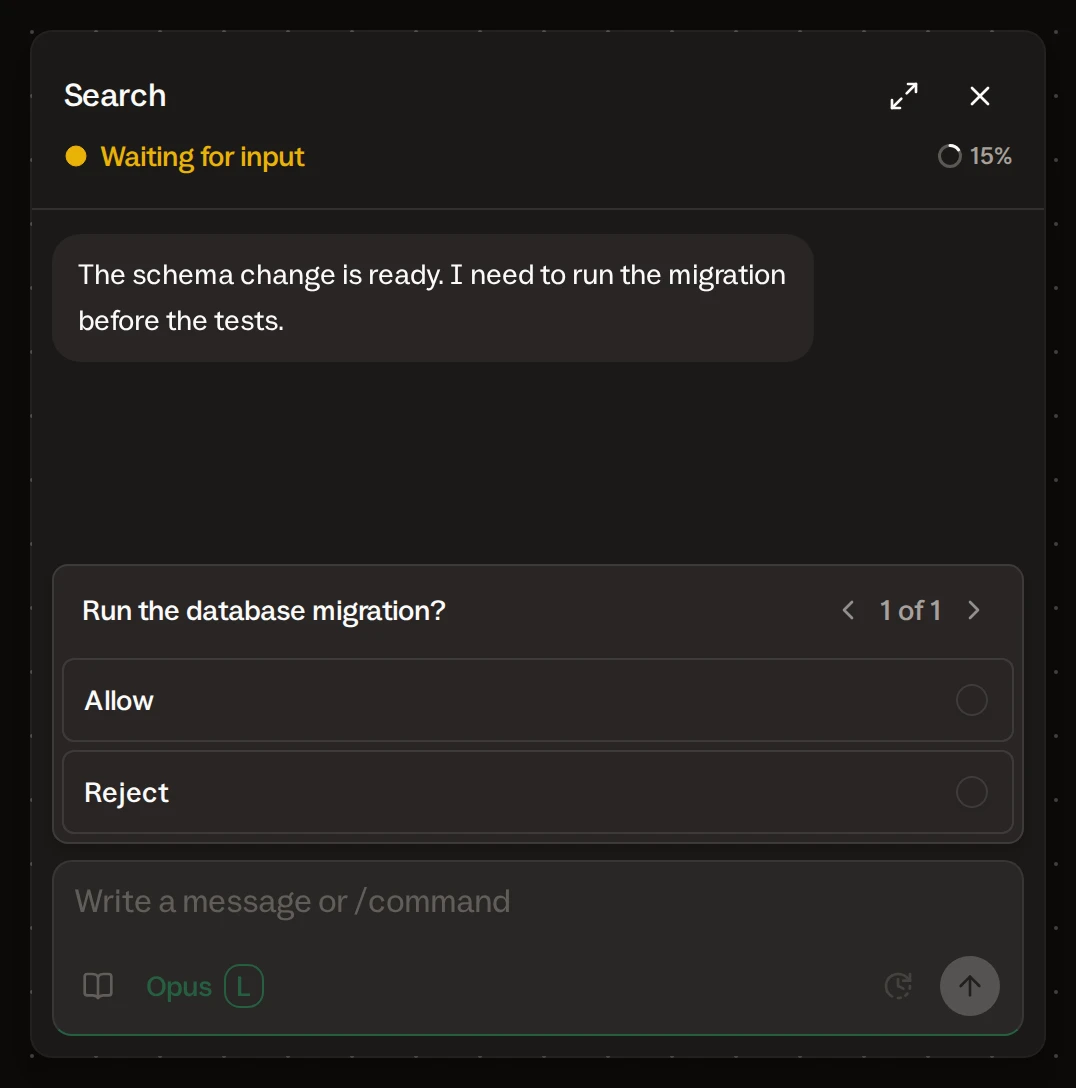
A question from Claude Code reaches you as a notification on your Mac and on your phone.
Claude Code stops and asks if it may run a command. That keeps your project safe. But a question in the sixth window is one you see three hours later.
The card with the question changes its status to Waiting for input. Your Mac shows a notification with the card’s name. Open the card and answer in its chat. The other sessions keep working in the meantime.
If you turn on Remote control, the same notification comes to your phone. Answer the agent from there.
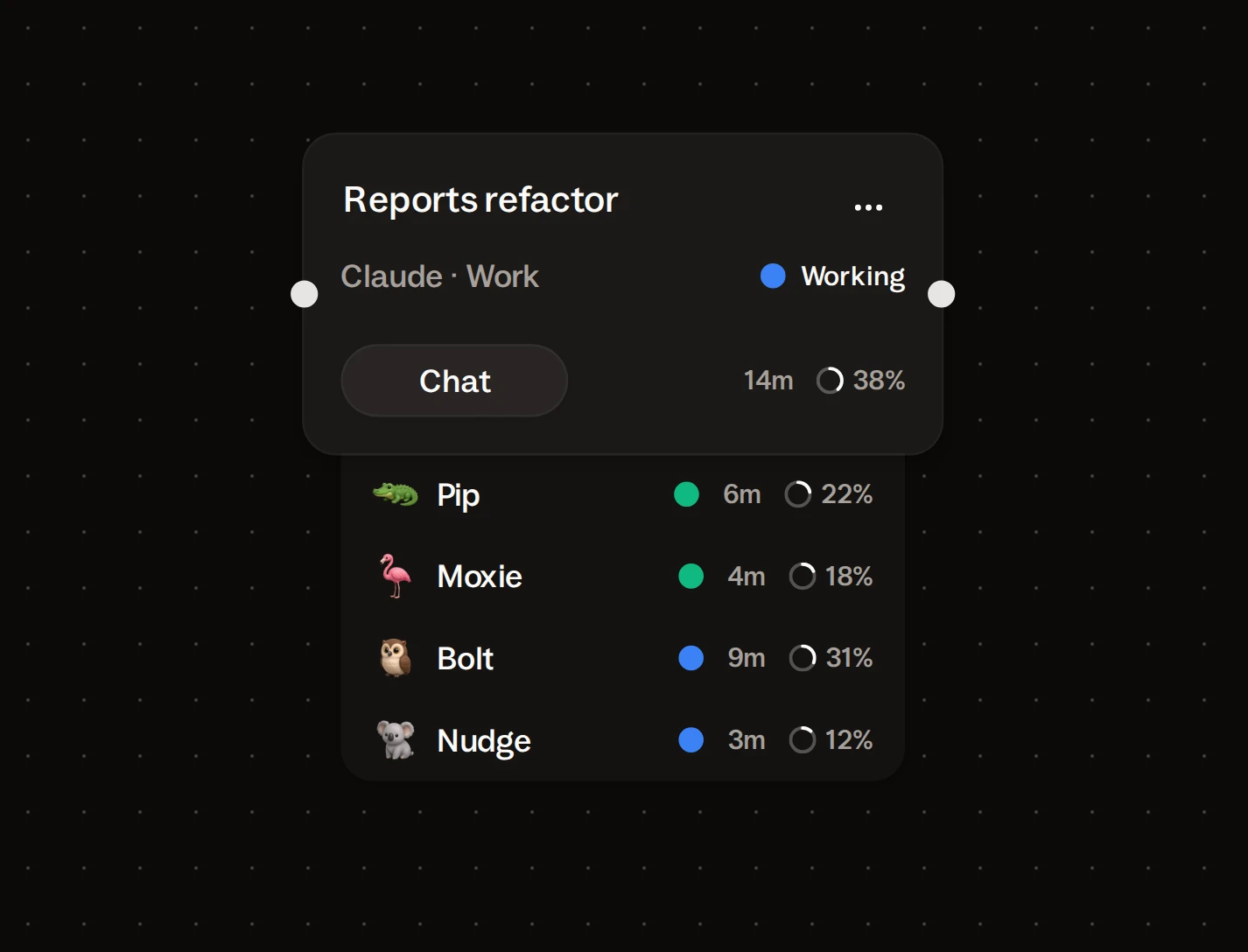
Every Claude Code subagent in view: name, status, time running.
Claude Code starts subagents by itself: one searches the code, another rewrites a module, a third writes tests. In the terminal, they get one line.
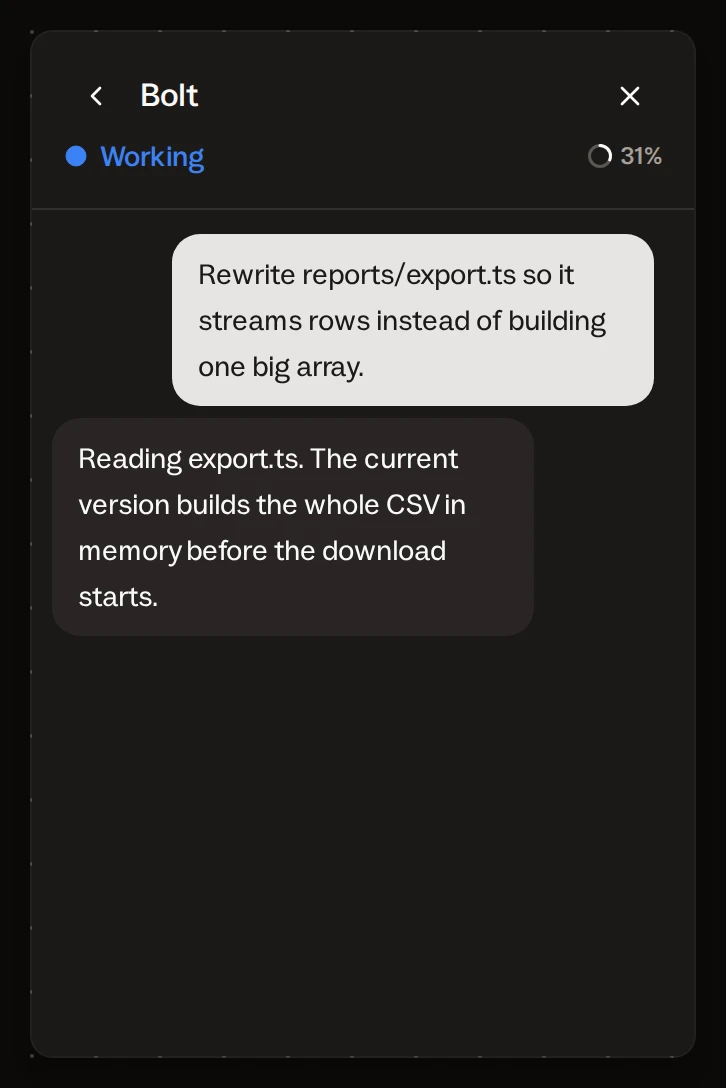
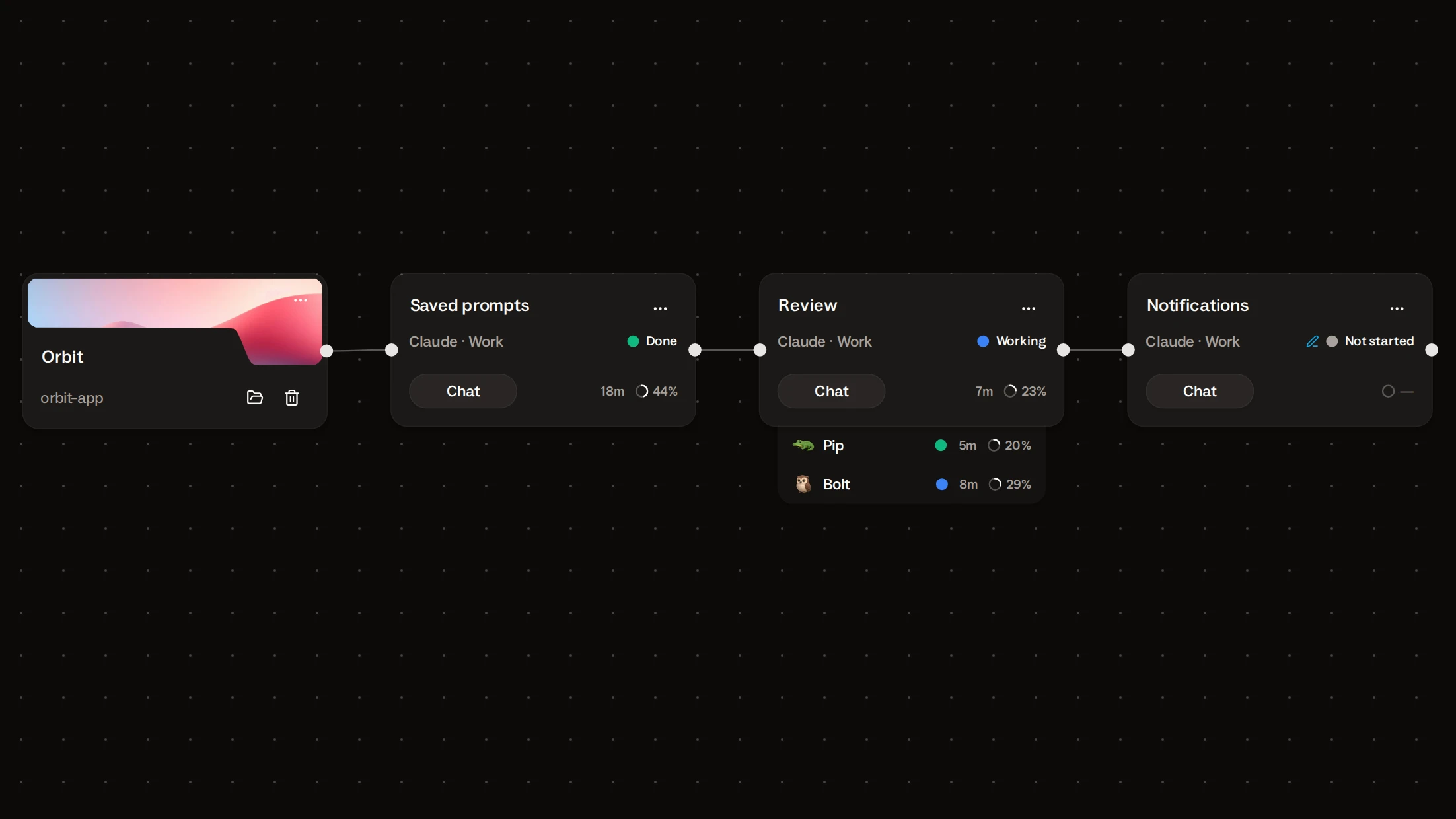
In Buzzpot the subagents are listed under the card. Each one has its own status and running time. Click a subagent and its chat opens: the task it was given and its replies.
Instead of “8 of 11 done” you see a list: eight subagents finished, three still working. Open any of them.
Claude Code finishes one feature, and Buzzpot starts the next.
One session, one feature. Two features in a row in one session overflow the context. So you start the second feature yourself once the first is ready.
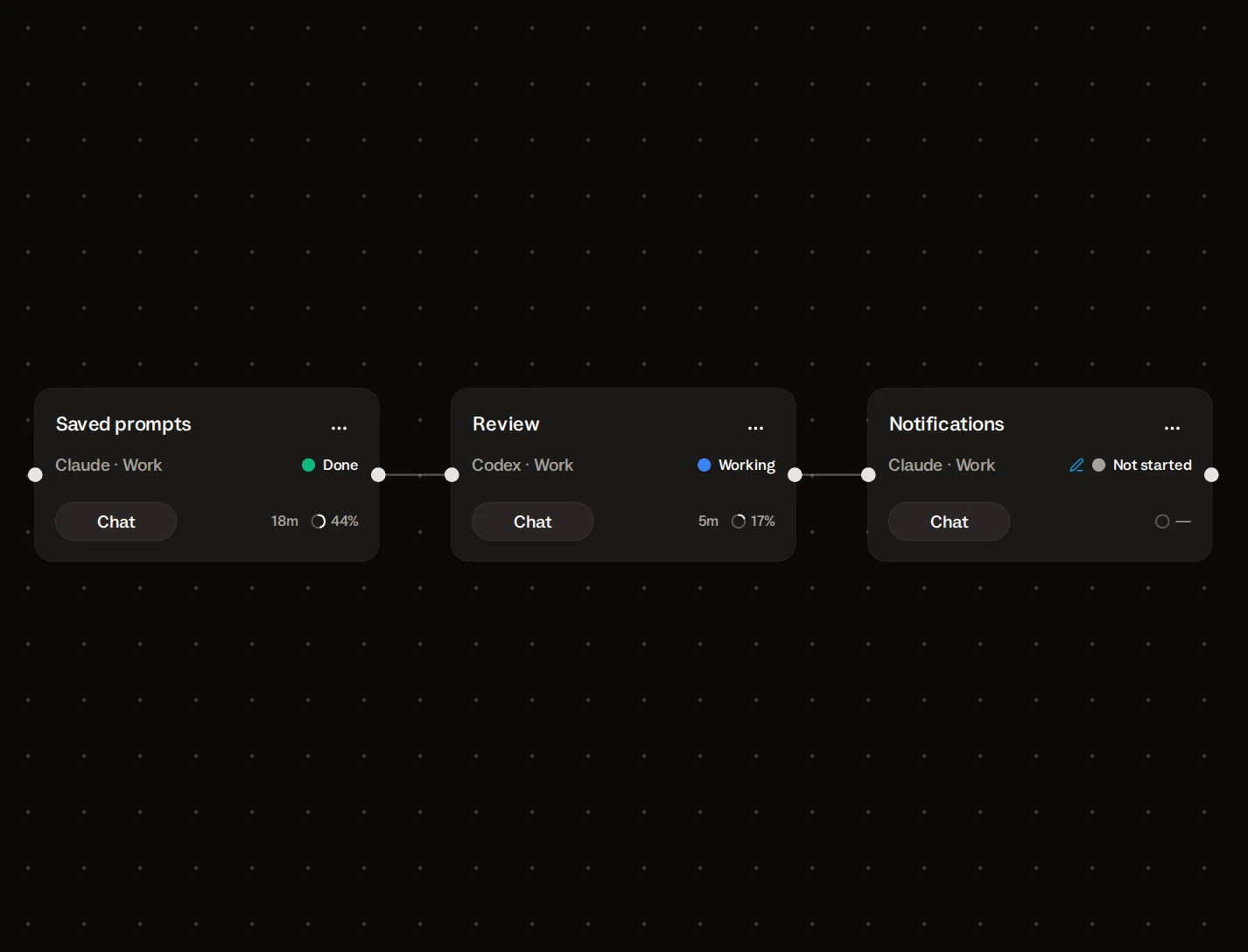
On the canvas each feature is a separate card with its own session and its own subagents. Draw a link from the first card to the second. Leave a message on the second card ahead of time. Buzzpot sends it when the first card turns Done.
A card turns Done only after Claude itself reports that the work is ready. A silent agent is not Done yet. So the second feature never starts halfway through the first.
This is how you lay out a week: a feature, then a review, then the next feature. Then start the first card, and Buzzpot starts the rest.
Codex and Grok on the same screen, next to Claude Code.
Buzzpot doesn’t require other agents: Claude Code alone is enough.
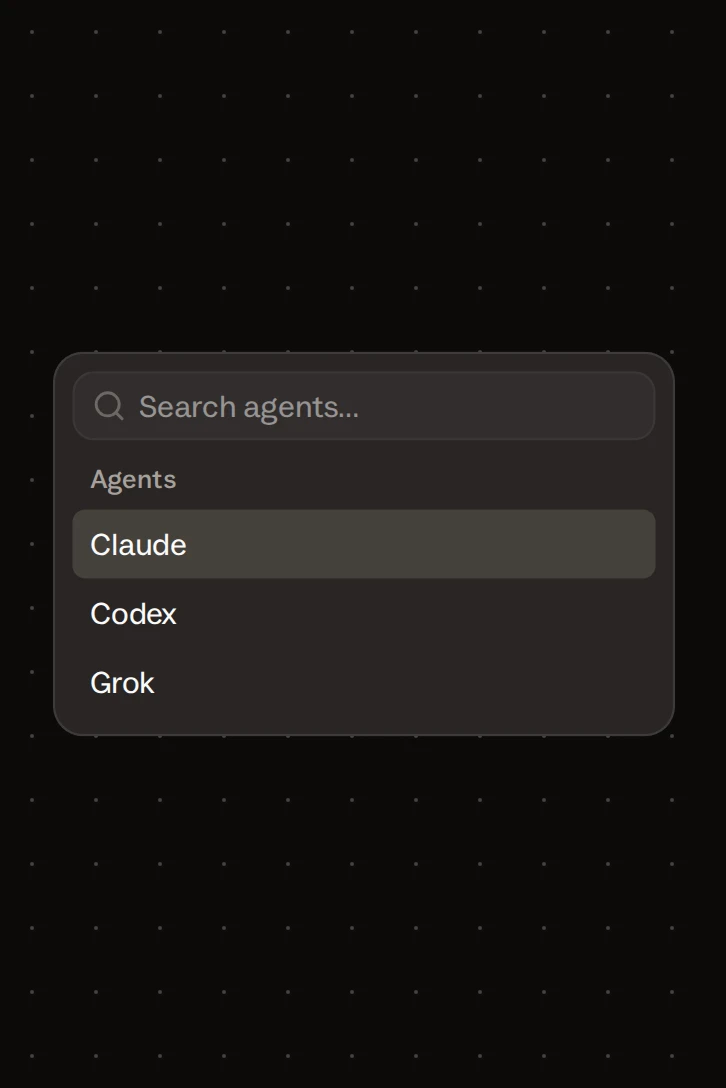
If you want another model to do the review, pick another agent on the card: Codex or Grok. Its card sits next to your Claude cards. The links between them work the same way.
Buzzpot has three agents today. We add new agents in updates.
Buzzpot doesn’t replace the terminal and doesn’t show its output.
Buzzpot shows your Claude Code sessions and starts them in order. Four things it doesn’t have.
| Not in Buzzpot | What that means |
|---|---|
| A raw terminal pane | You see the conversation with the agent and its questions. For the stream of commands, look in the terminal. |
| A limit of its own | Six cards use your Claude plan the same way six terminal sessions do. And when the plan’s limit runs out, the card shows Limits and keeps the work. |
| The cloud | Sessions run on your Mac. If you turn the Mac off, the cards stop. |
| Decisions made for you | Buzzpot doesn’t split the work into tasks or choose the order. You do. |
If you have one project and two independent tasks, the terminal and agent view are enough.
Download Buzzpot and run your own Claude Code in it.
You need a Mac, Claude Code that you are already signed in to, and two of your projects.
- Add two project cards and point each one at its folder.
- Add an agent card to each project and pick Claude on it.
- Write a task on each card and send both.
- Optional: add a third card, link it to the first, and leave a message on it for the next feature.
A minute later you have two Claude Code sessions in two repos on one screen. For that you need neither a new Anthropic account nor an API key. Buzzpot itself is free during the beta, and your code stays on your Mac.
Claude · Codex · Grok · macOS
Is Buzzpot a Claude Code GUI?
No. A card has a chat with the agent, but Buzzpot has no terminal pane. Buzzpot is for when you have five sessions, not one. Run a single session in the terminal.
Do I need a separate Anthropic account or API key?
No. Buzzpot runs Claude Code from your Mac, with the login that is already there.
Will my CLAUDE.md, skills, and MCP servers work?
Yes. The session runs in the project folder and reads the same settings as in the terminal. Buzzpot sends an ordinary request to the Claude Code CLI, so whatever works in the CLI works in Buzzpot.
Is this a Claude Code dashboard?
Yes. From the canvas you see the status of every session, answer the agents, and start the next tasks.
How many Claude Code sessions can I run at once?
Buzzpot doesn’t limit the number of sessions. Only your Claude plan does.
Can I run two sessions in the same repo?
Yes. Turn on Isolated workspaces for the project, and each task gets its own branch and copy. More about that on the Run coding agents in parallel page.