A workspace for several coding agents — without an autopilot
You already run Claude, Codex, or similar coding agents. Buzzpot is the workspace around them: several agents on one project, on one board, without you tracking every terminal, branch, and chat by hand.
You set the plan and the order. Those agents still write the code.
Claude · Codex · Grok · macOS
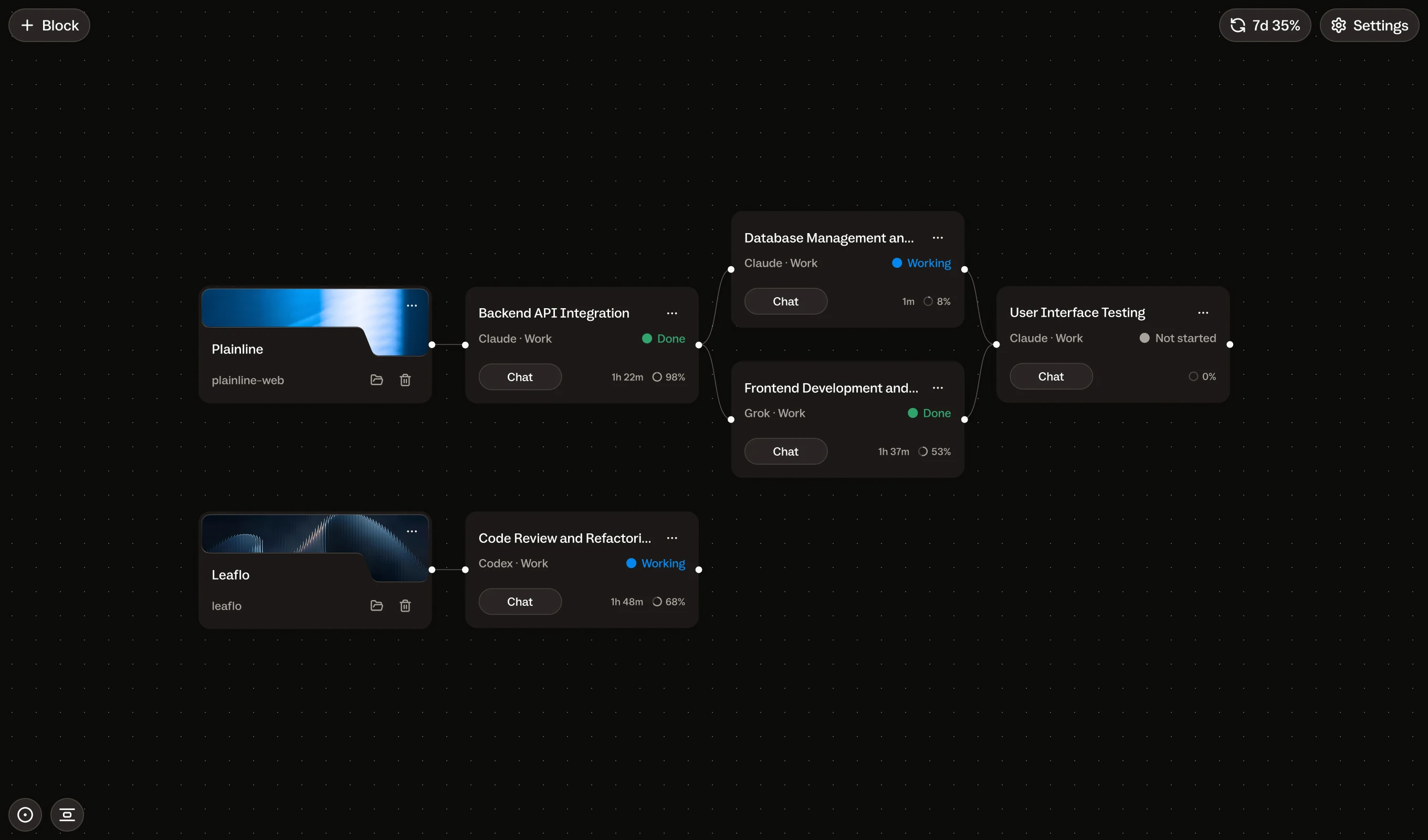
Fine for one agent. Tight once you run several.
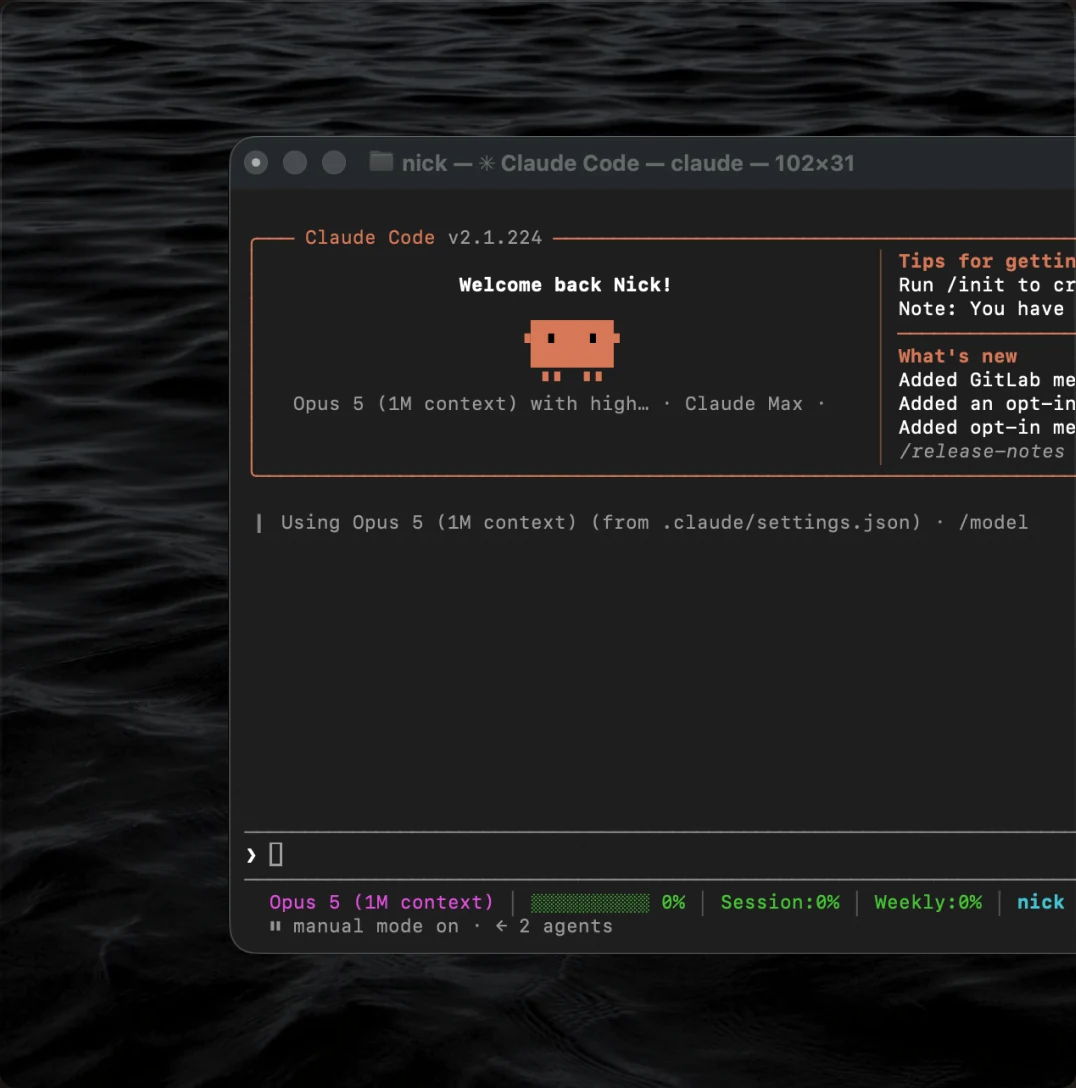
One coding agent in one terminal is enough for a single focused task. It gets harder when two or three run at once: a feature beside a review, research before implementation, a long job you will not watch window by window.
Buzzpot is for that setup — several agents on one project that you need to see and steer together. If one agent end to end is enough, you do not need it.
Every agent's task on one board.
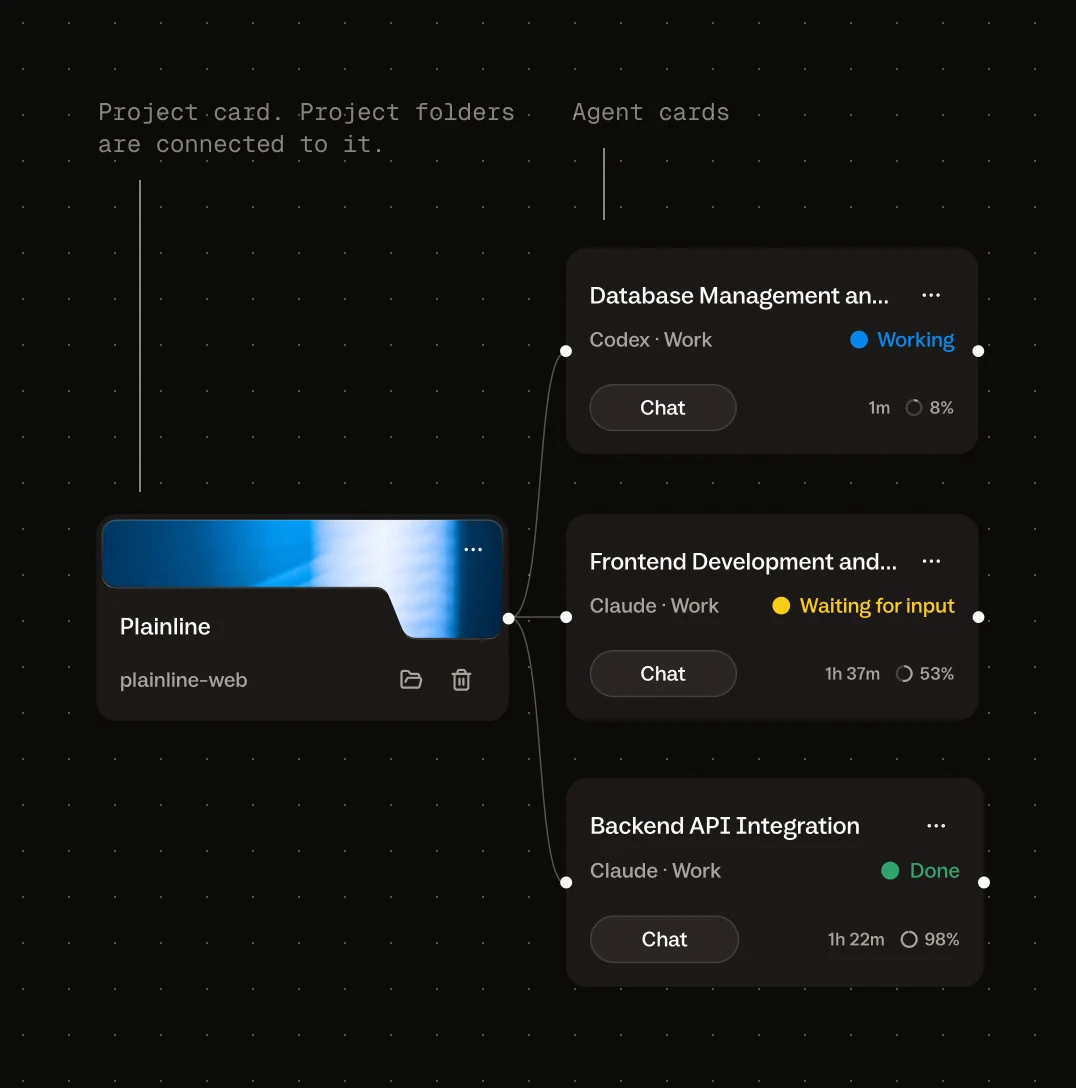
Buzzpot puts every agent's task on one board: agent, mode, status, conversation, and what is waiting on you. You run work in parallel or in an order you choose. You see the board, you change it, agents execute inside it.
It wraps the agents you already use. It does not replace them.
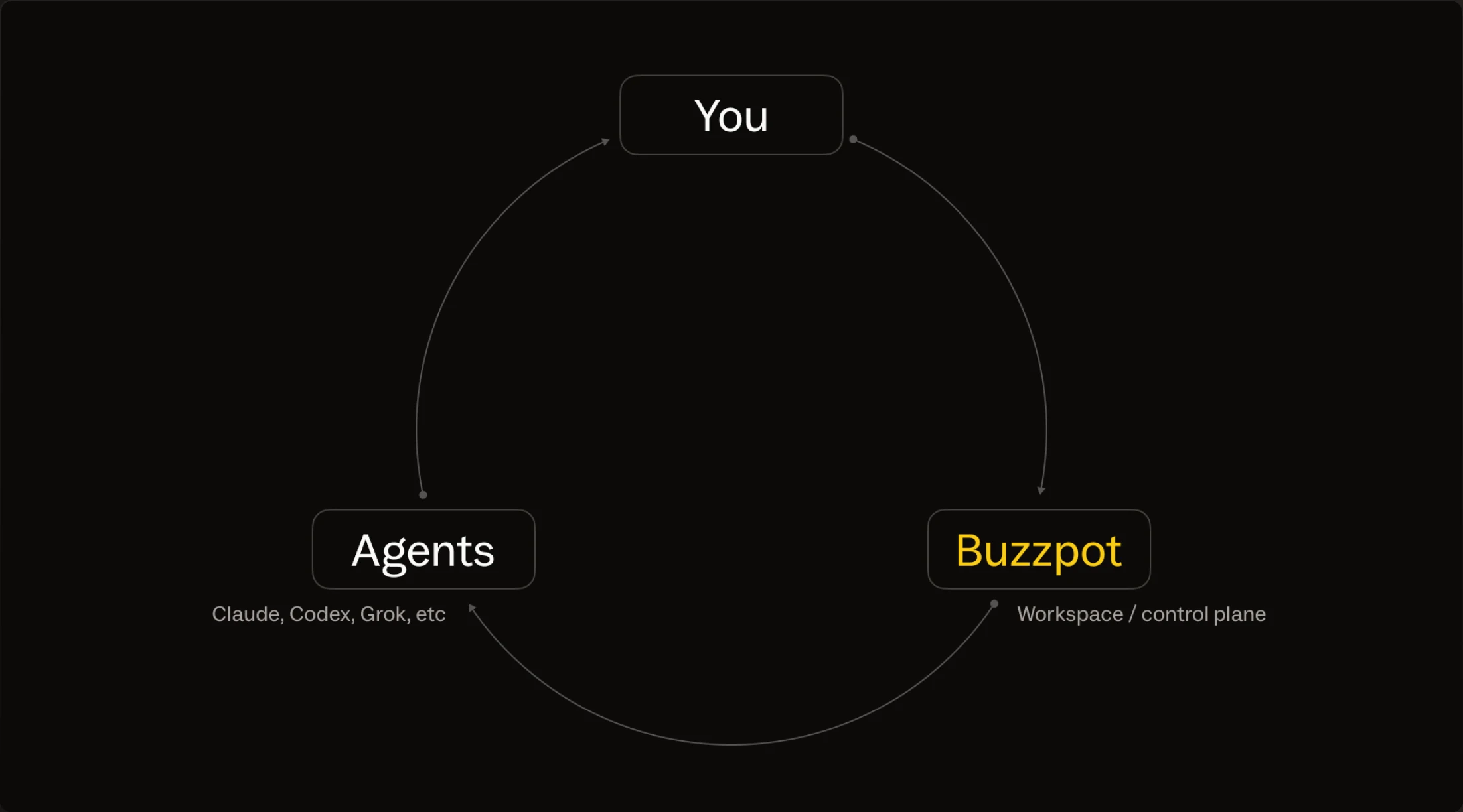
Claude and Codex stay. Buzzpot does not autopilot.
You break the work down. You choose what runs in parallel. Buzzpot keeps that layout visible and runnable. It does not take over as project lead.
| Writes and edits code | Claude Code, Codex, Grok — not Buzzpot. They stay the workers. |
|---|---|
| Runs the project without you | Autopilot — not Buzzpot. |
| Invents the plan behind your back | Hidden orchestrator — not Buzzpot. |
| One canvas for several agents you direct | Buzzpot |
You steer the agents. Buzzpot holds the board.
You assign agents and models to tasks. You draw the dependencies. You place review where it belongs. Buzzpot holds that setup on screen: the board, the order you defined, and the Git mechanics so parallel cards do not overwrite each other.
No hidden model chooses the plan. Through MCP, an agent can propose cards and links; you approve the board before anything runs.
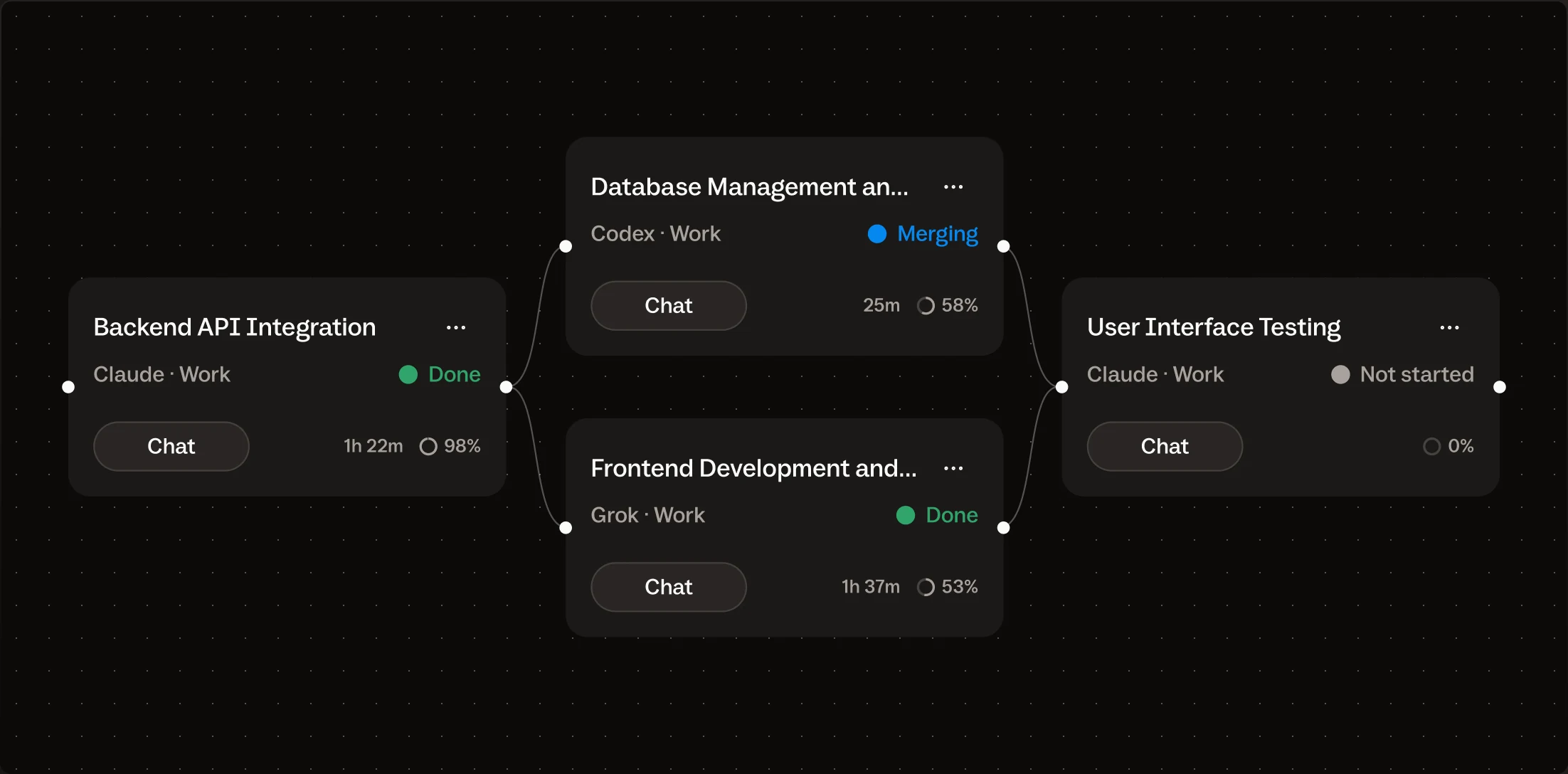
What you get on the board.
Full walkthrough of workflows, Isolated workspaces, and phone remote: Features and the homepage.
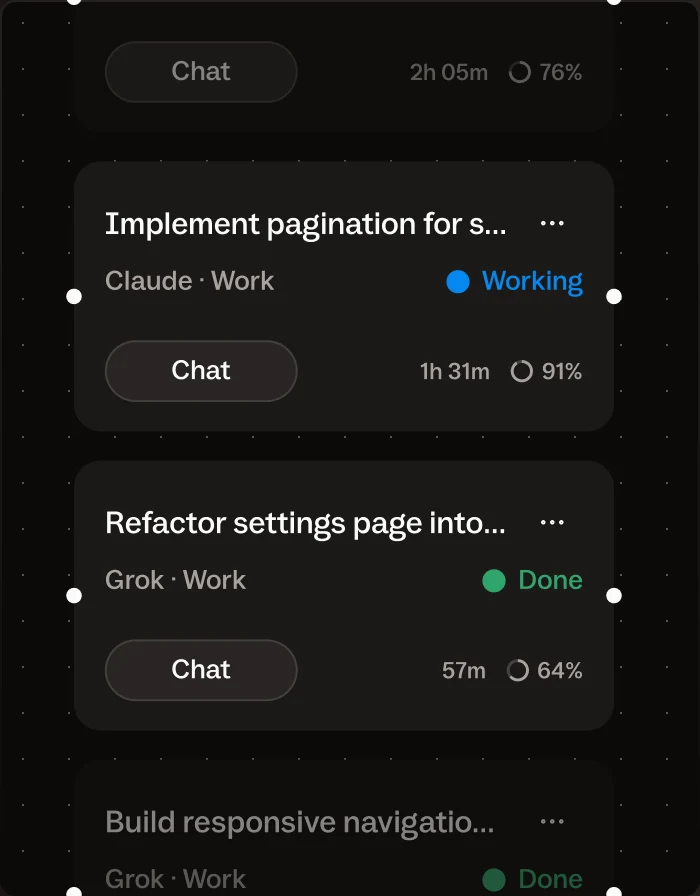
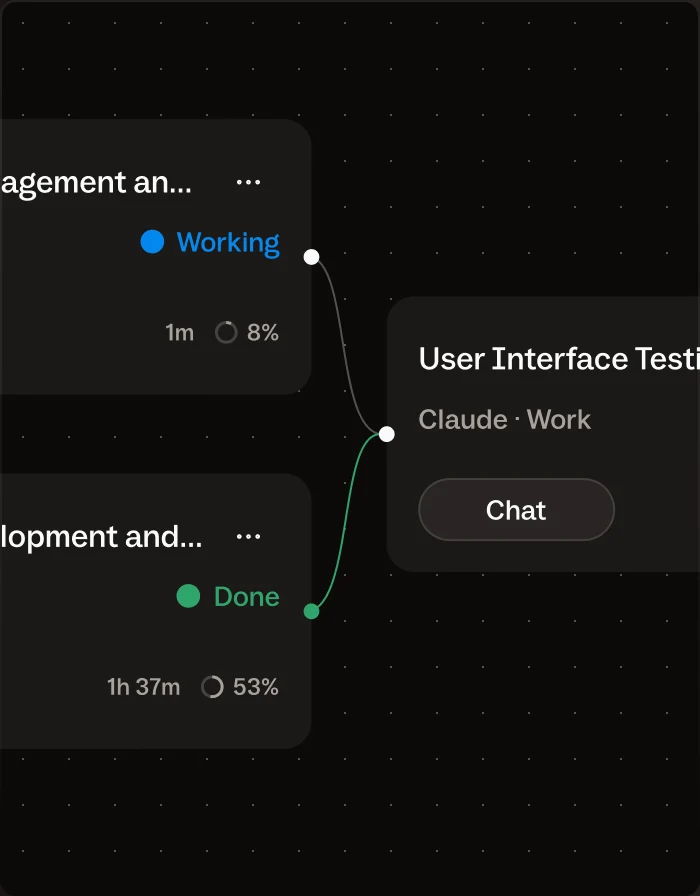
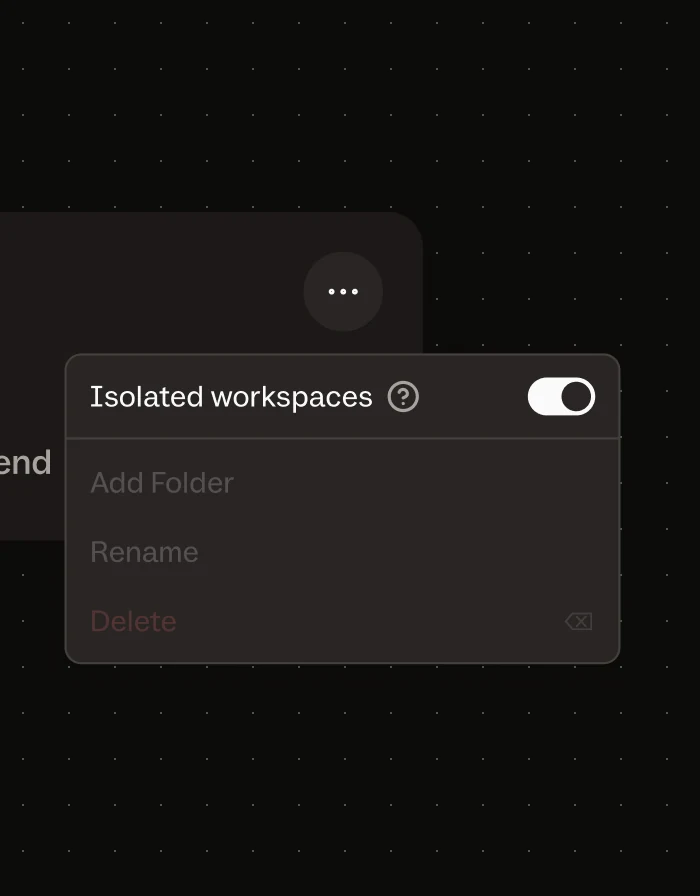
Fixed service prompts. Merge ones are optional.
Buzzpot only adds a few fixed service prompts. The main one is merge-conflict resolution, and it only exists with Isolated workspaces on: Buzzpot isolates cards, merges them back, and on conflict sends one fixed prompt, then checks Git. One automatic try.
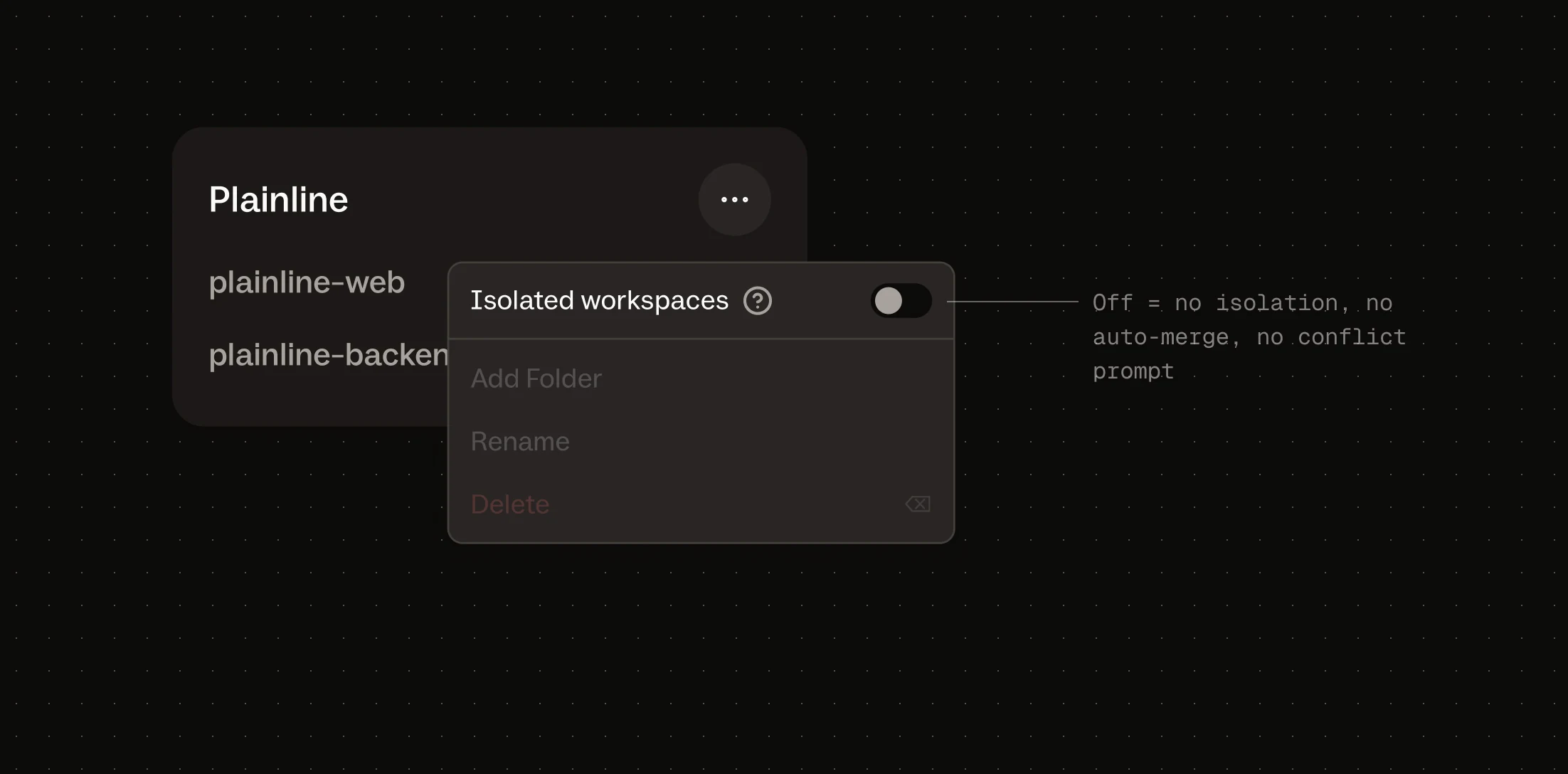
Isolated workspaces are off by default. Off disables the whole layer — isolation, auto-merge, and that prompt — not the prompt alone. You keep Git. Sent text is in the run journal.
Does Buzzpot replace Codex or Claude Code?
No. They still do the actual work. Buzzpot gives them a shared workspace and coordinates the tasks around them.
Does Buzzpot decide the plan for me?
No. You set the board and the order. Buzzpot shows it, runs the order you set, and handles Git mechanics for parallel tasks. No hidden model invents the plan.
Does Buzzpot send prompts I didn’t write?
A few fixed service prompts, for named jobs — mainly merge-conflict resolution when Isolated workspaces are on, plus rare ones for environment detect, a canvas-tools note, and restart recovery. Your task text is not rewritten into an autopilot brief. Sent text is in the run journal.
Can I disable merge-conflict prompts?
Yes. Keep Isolated workspaces off on the project (the default for new projects), or turn off the conflict prompt in settings. No auto-merge means no conflict-resolution prompt. You keep Git yourself.
Who is this for?
You, if you run several coding agents on one project and need to see and steer them together. Not if one agent in one terminal is enough.
Can I mix Codex and Claude on the same project?
Yes. Cards can use different agents, models, and effort levels.
Do you upload my code anywhere?
No. Your projects stay on your computer, and agents run through locally installed CLIs.
Windows? Linux?
The first version is for macOS, on Apple Silicon and Intel. Other platforms may come later.
Pricing?
Free during the beta. Details on Pricing.