A task canvas,
not another grid of terminals.
Run six agents in six terminal panes, and you read six panes to learn which one needs you. A bigger canvas gives the panes more room. The reading stays with you.
Buzzpot puts a card on the canvas for each task. The card tells you in a word if the agent is working, waiting for you, or done. Link the cards, and Buzzpot starts the next task after the one before it finishes.
An example: ten tasks before an MVP release.
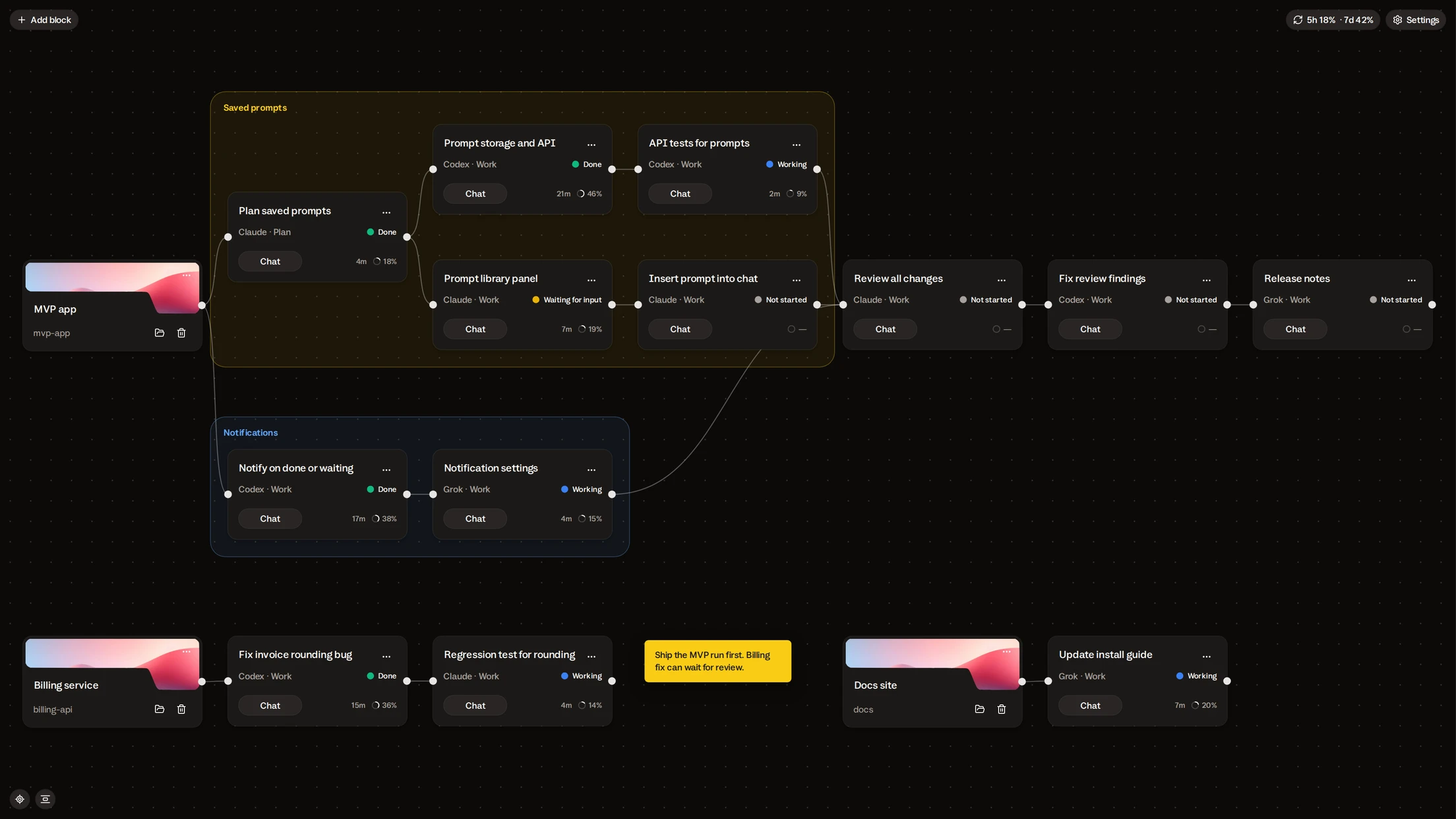
Say you’re a week from an MVP and two features are missing: saved prompts and notifications. You lay out ten cards and write a message on each.
| # | Task | Agent | Starts after |
|---|---|---|---|
| 1 | Plan the data model and API for saved prompts | Claude, Plan mode | you send it |
| 2 | Backend: prompt storage and API | Codex | 1 |
| 3 | Frontend: prompt library panel | Claude | 1 |
| 4 | Frontend: insert a saved prompt into the chat | Claude | 3 |
| 5 | Backend: notify when a card is done or waiting | Codex | you send it |
| 6 | Frontend: notification settings | Grok | 5 |
| 7 | API tests for saved prompts | Codex | 2 |
| 8 | Review of all the changes | Claude, heavier model | 4, 6, 7 |
| 9 | Fixes from the review | Codex | 8 |
| 10 | Release notes | Grok | 9 |
-
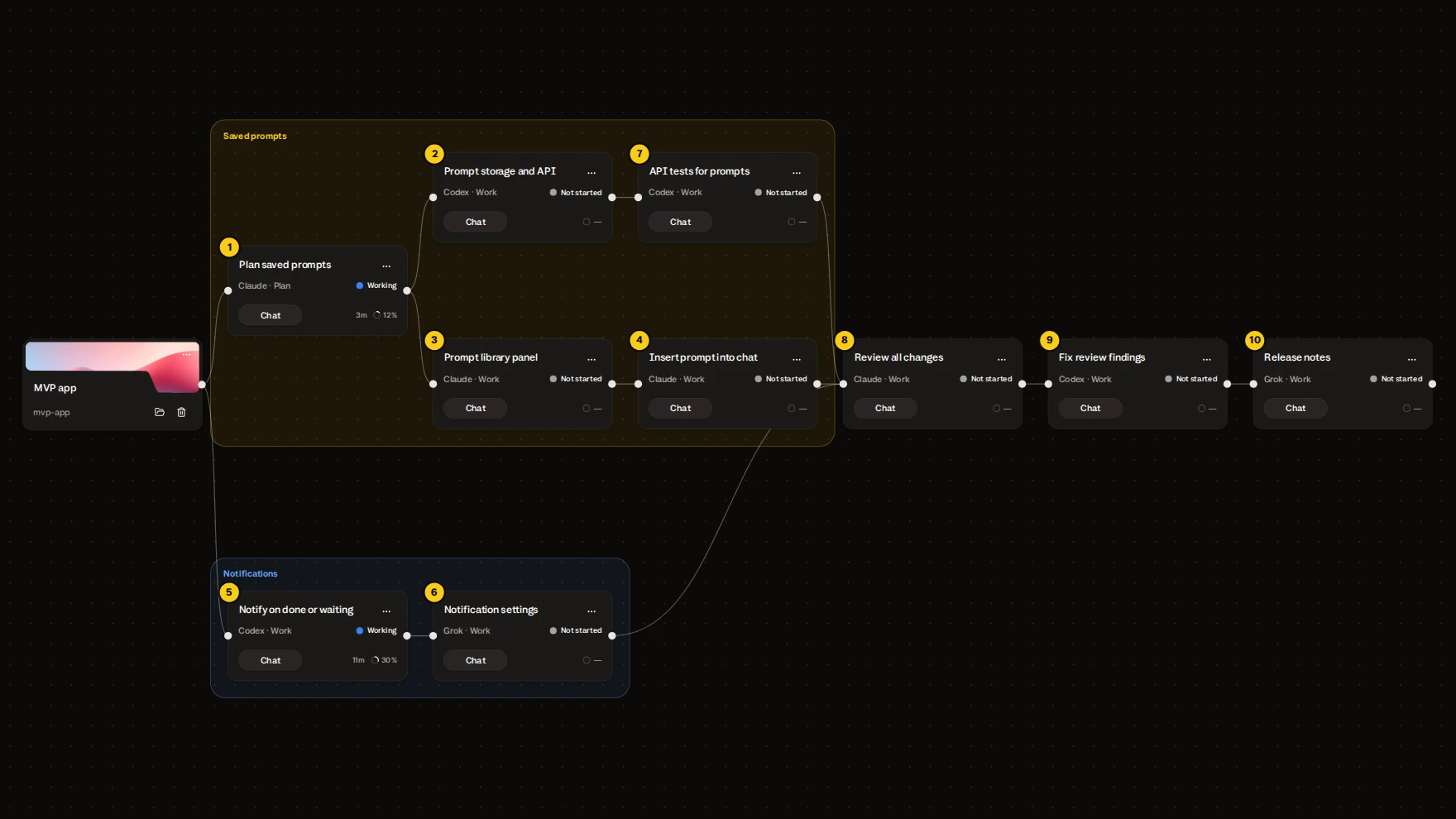
You send cards 1 and 5. The other eight wait for their turn.
-
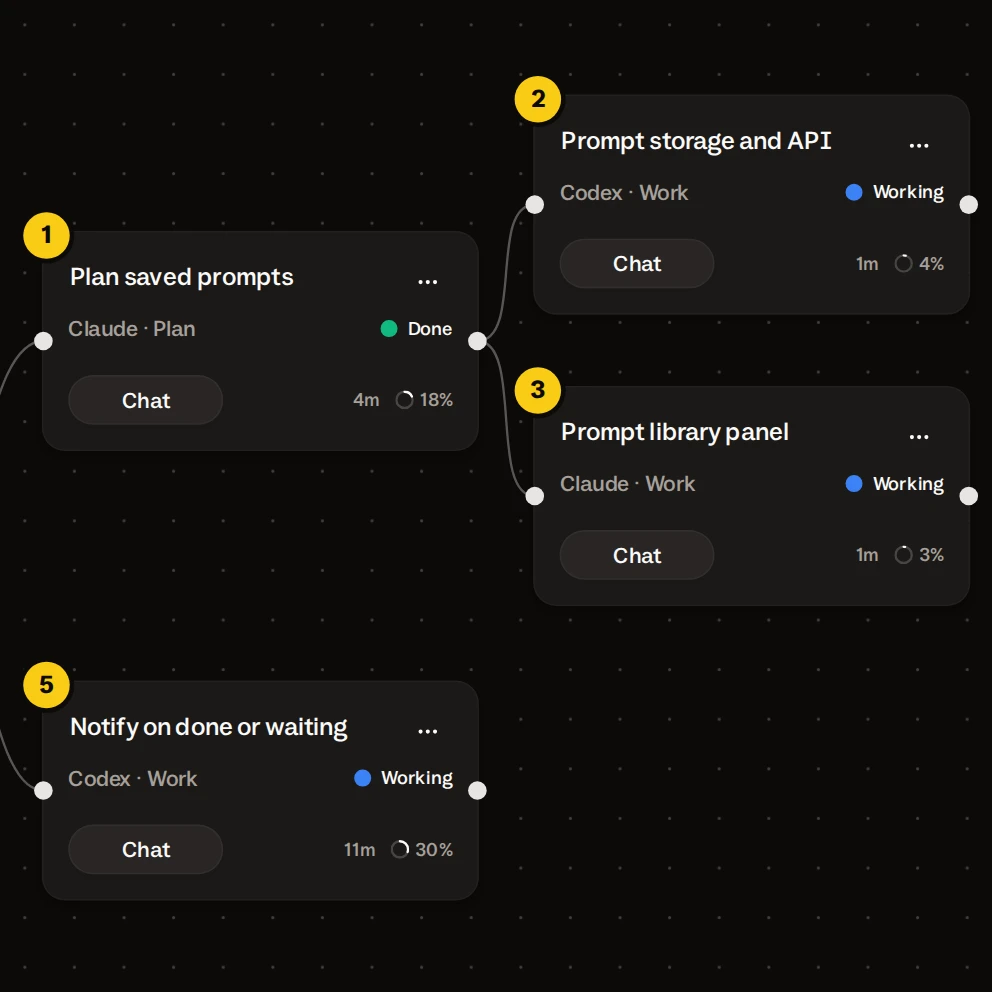
Card 1 reports its plan done. Buzzpot starts cards 2 and 3, and they run alongside card 5.
-
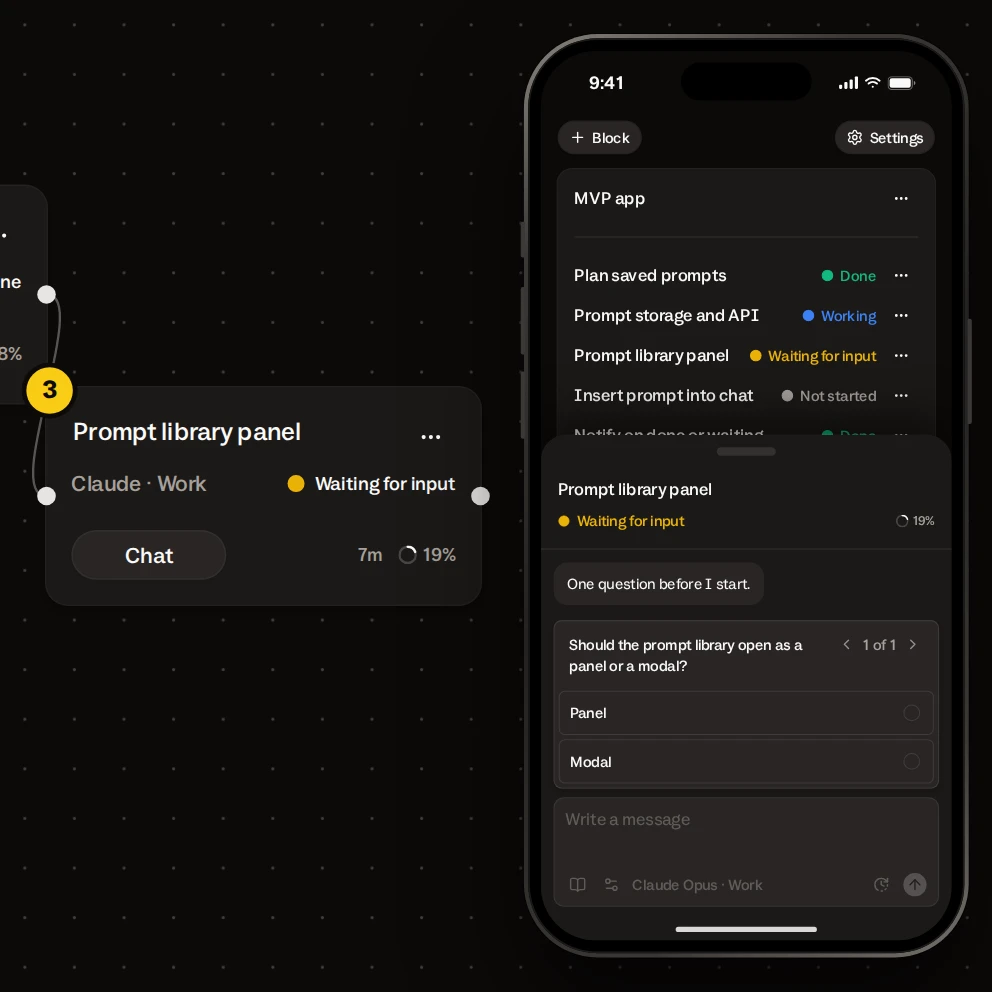
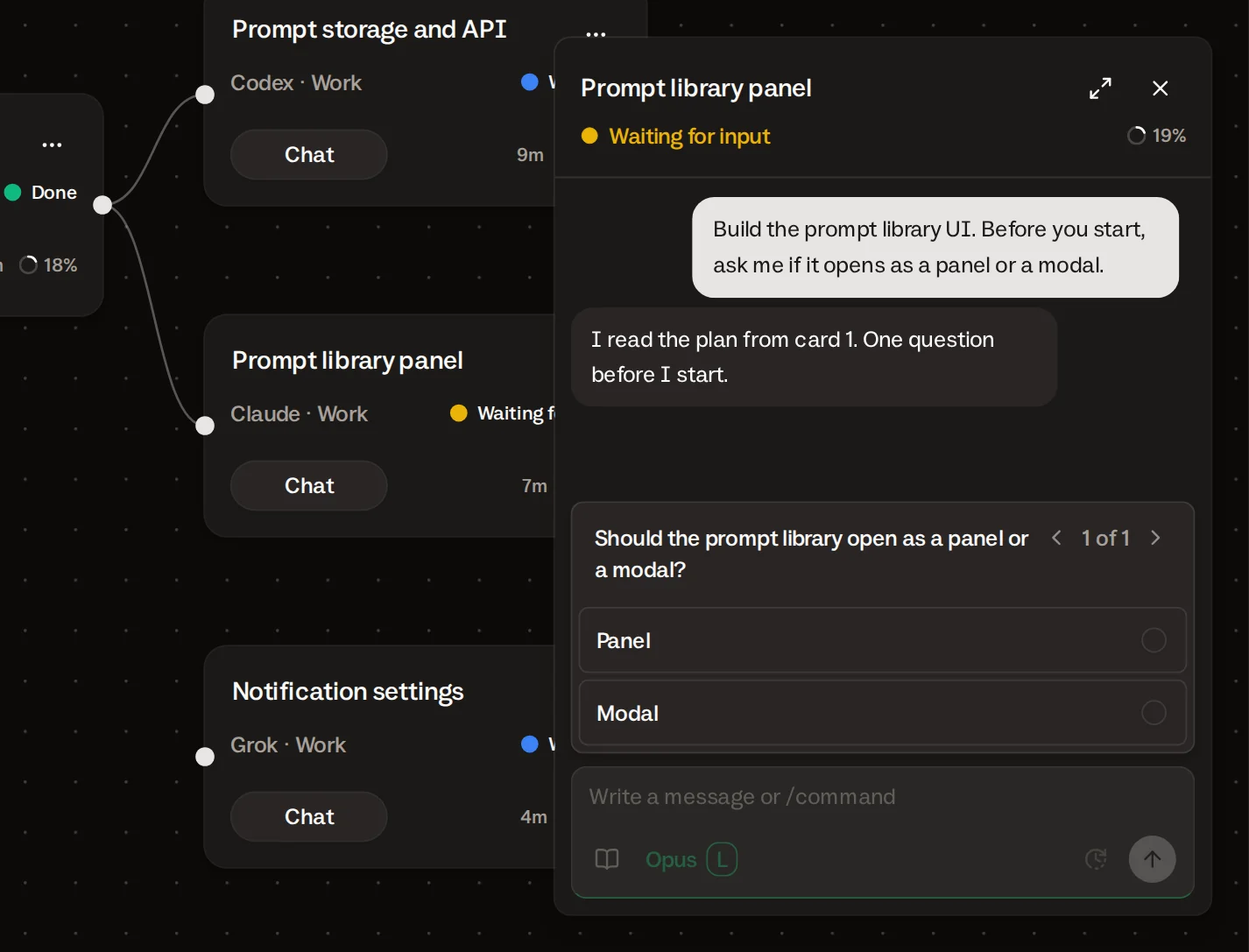
The agent on card 3 asks if the library opens as a panel or a modal. The card turns Waiting for input and you get a notification. You answer from your phone.
-
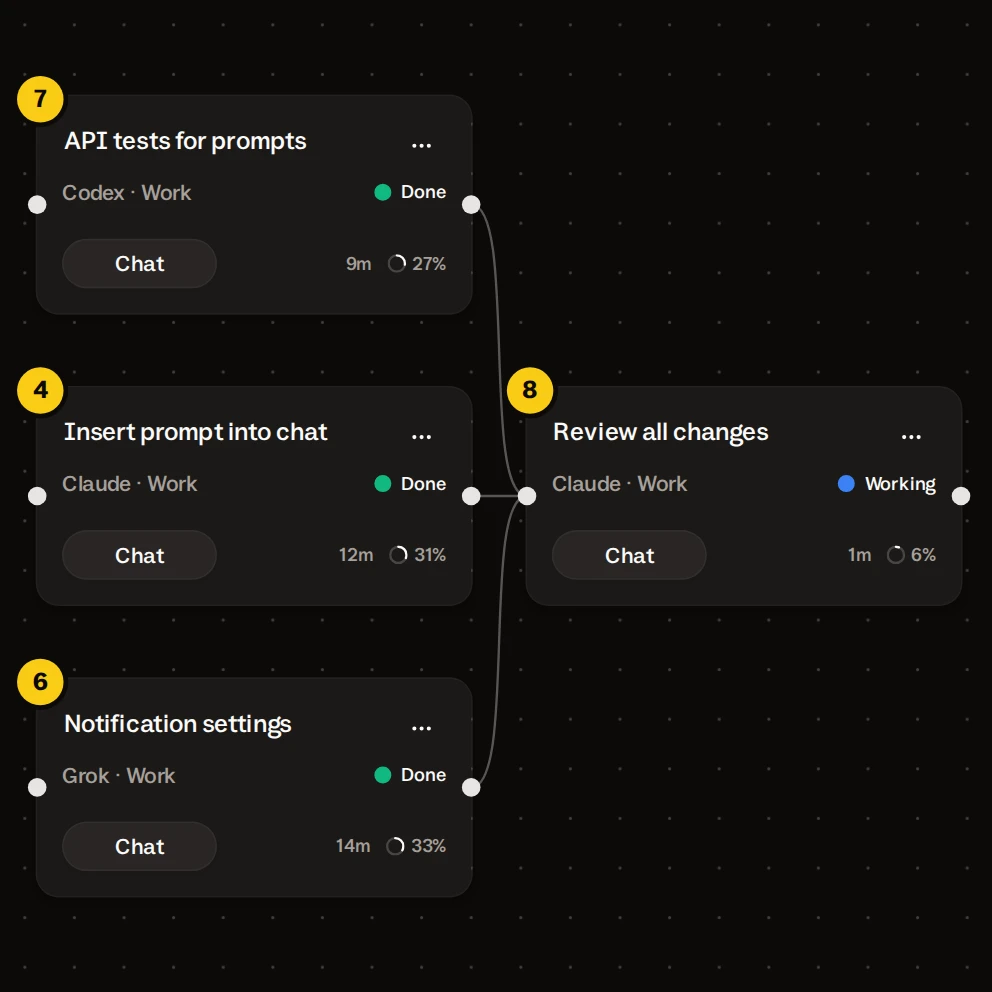
Cards 4, 6 and 7 report done. Buzzpot starts the review on card 8.
-
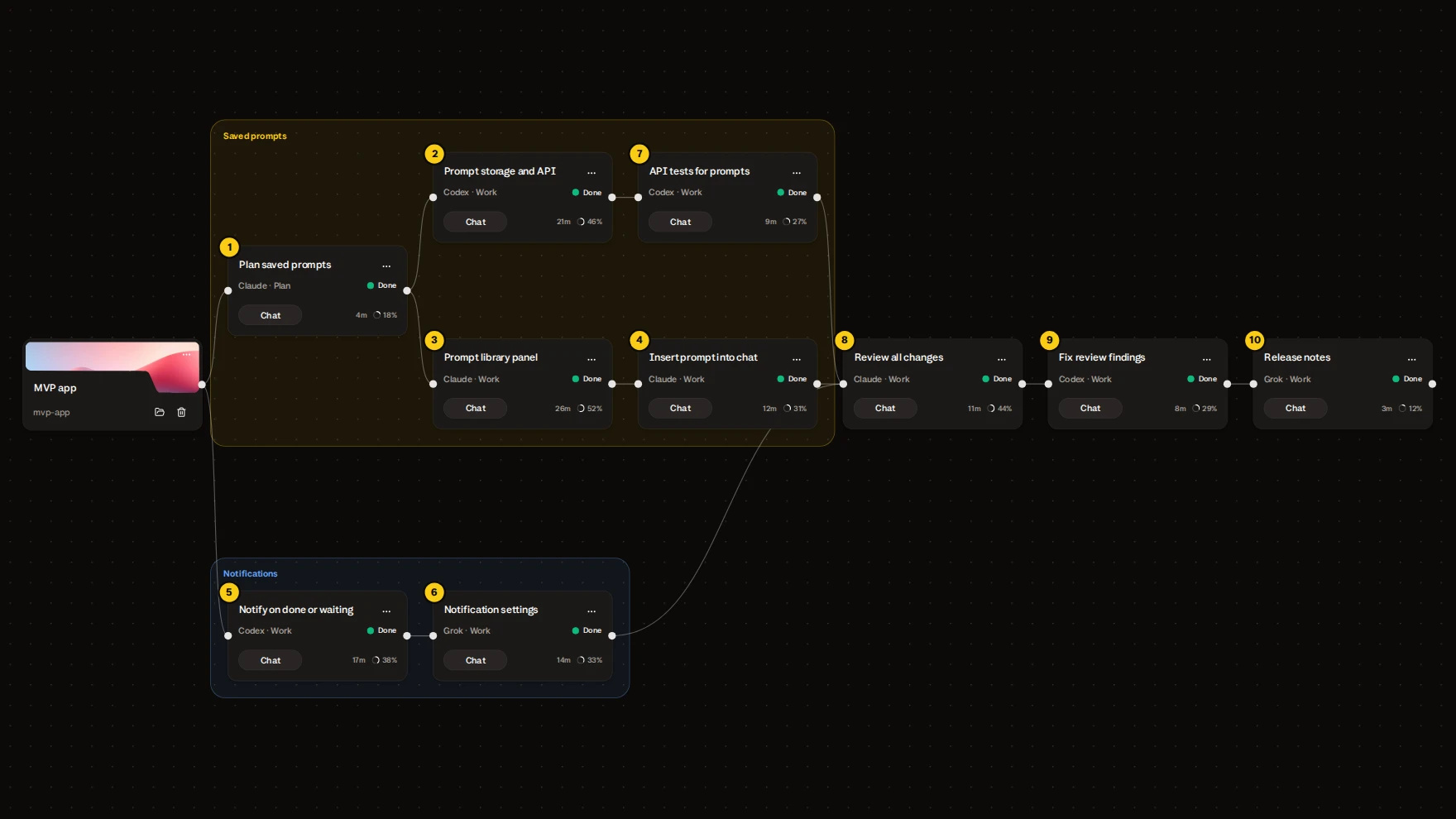
The review lists two problems. Card 9 fixes them, and card 10 writes the release notes.
Your part was the layout, ten messages written up front, and one answer. With Isolated workspaces on, cards 2, 3 and 5 each work in their own Git branch, and Buzzpot merges them back as they finish.
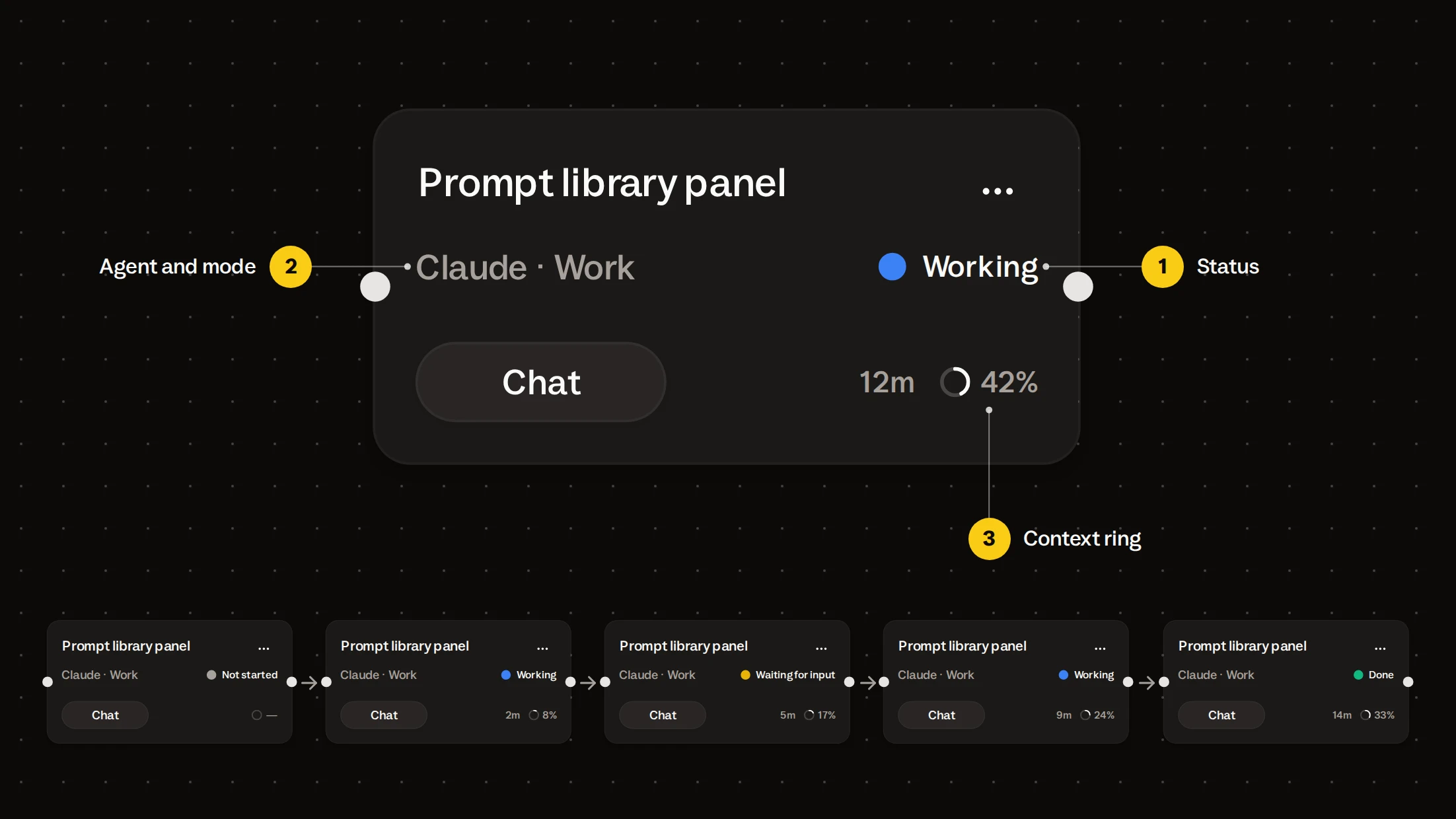
Three things you read without opening the card.
- Status. One word: Working, Waiting for input, Done. If a run breaks off, you see Stopped, Limits, or Failed.
- Agent and mode. You pick them per card, along with the model, so the review can run on a heavier model than the fixes.
- Context ring. It fills as the agent’s context window fills, so you know to start a fresh card before quality drops.
Buzzpot marks a card Done after the agent reports the task finished. An agent that stops writing without that report stays Working, and the next card doesn’t start. A green card means the agent said it finished.
The next card starts without you.
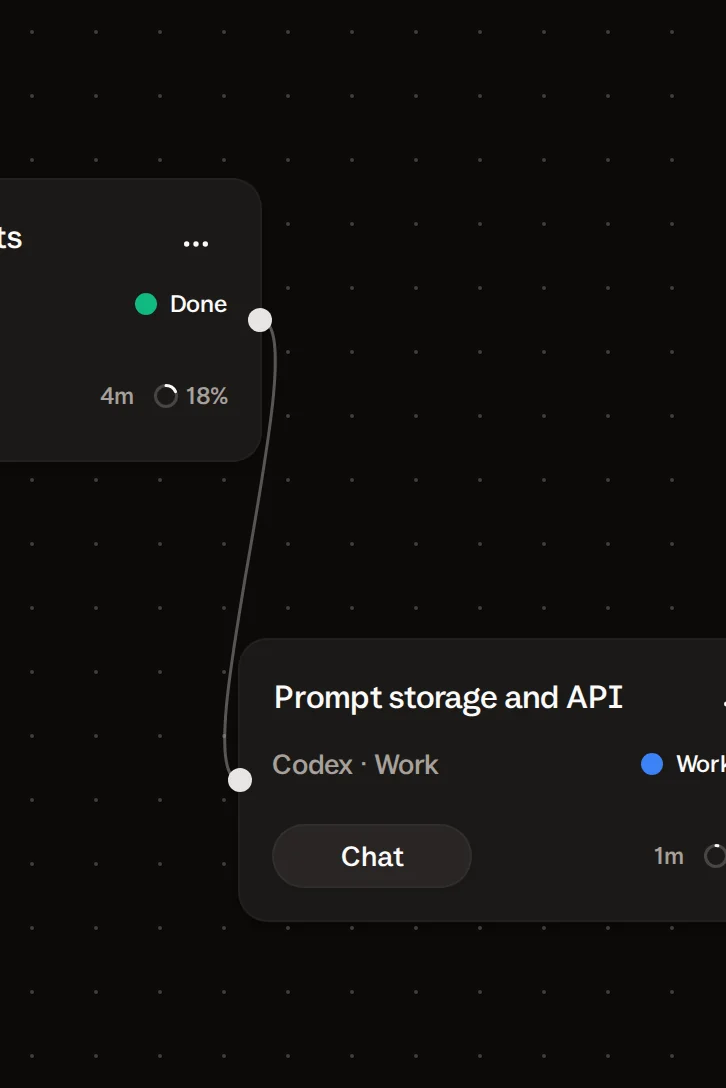
Draw a link from one card to another, and the second waits for the first. Queue a message on the waiting card. Buzzpot sends it after the cards it depends on are Done.
Cards with no link between them run at the same time. You start the first card of a chain and Buzzpot starts the rest.
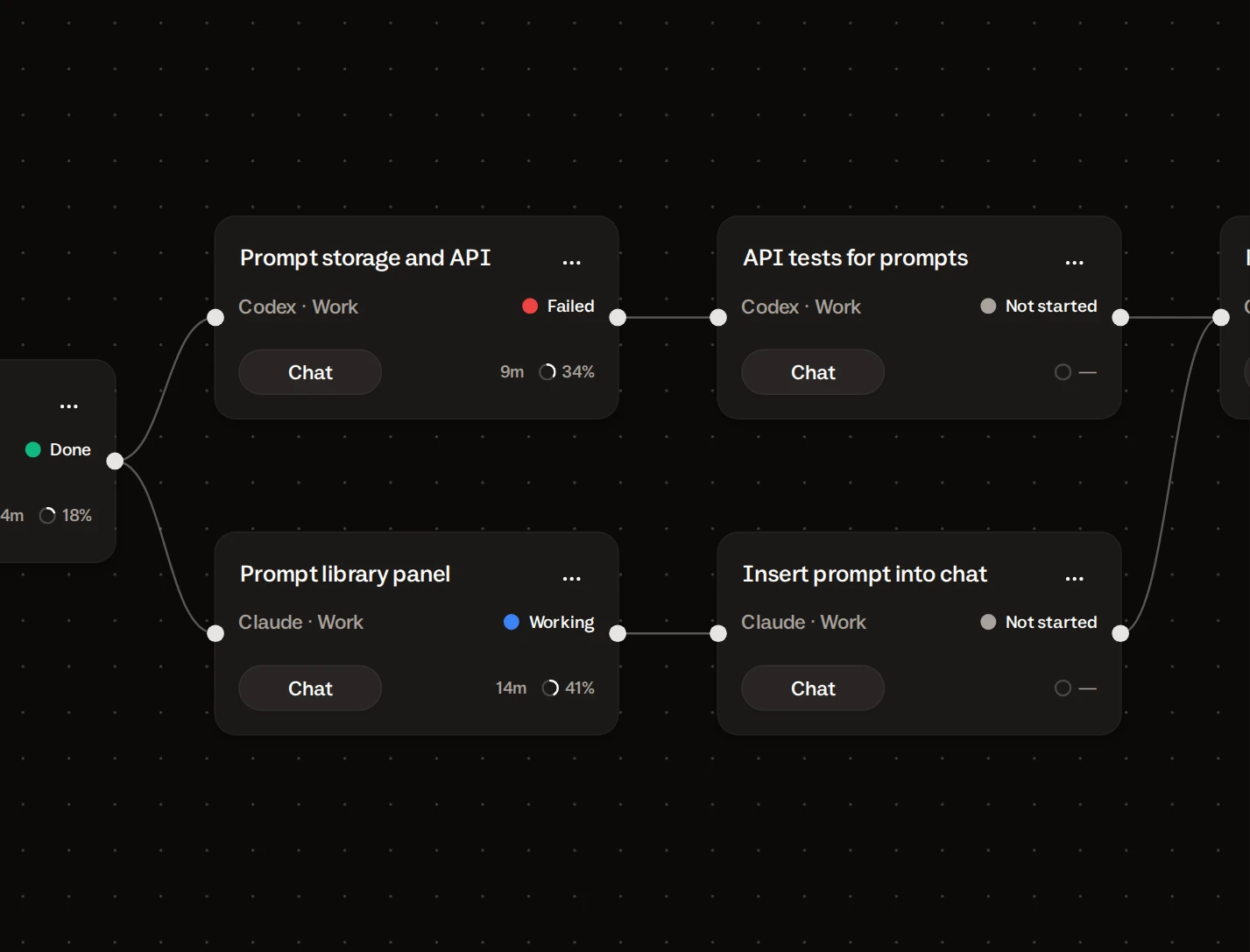
If a card fails or stops, the cards after it wait. Cards that don’t depend on it keep going.
Several projects on one canvas.
A project card is a folder on your disk. Agents on the cards you link to it work in that folder.
Put three projects on the canvas and you see the cards of all three at once. The MVP run can sit next to a bug fix in another repo and a docs update in a third. You move across the canvas to change project, with no window to switch.
You can group cards under a name and a color, or leave a sticker as a note. Buzzpot saves the canvas as you go, so it looks the same after you quit and reopen.
Click a card to open its chat.
The chat opens beside the canvas. You see your messages and the agent’s replies, including its questions and permission requests. Answer there, or type the next instruction.
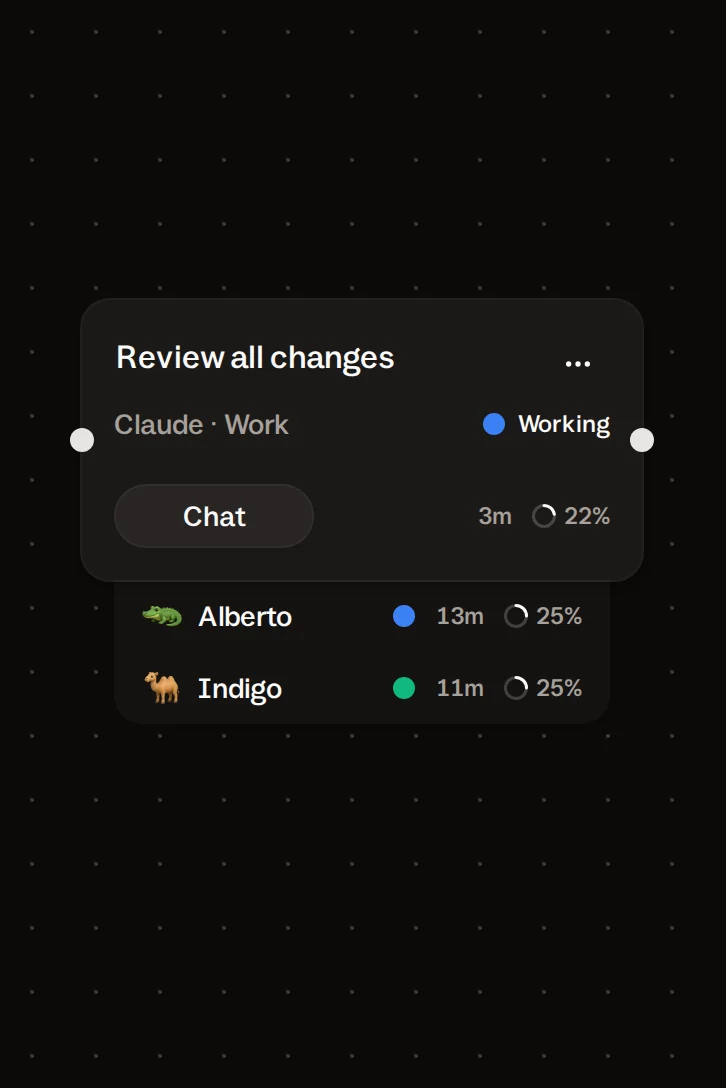
Click a file the agent mentions, and Buzzpot previews it. If the agent started subagents, you can read each one’s chat from the tab under the card.
Jobs a terminal grid does better.
Buzzpot has no raw terminal pane. To watch raw output from several agents as it scrolls, or to keep browsers and shells next to agent panes, use a grid of terminals.
Buzzpot is for seeing which tasks are running or waiting on you, and for having the next one start by itself.
Your first run takes two cards.
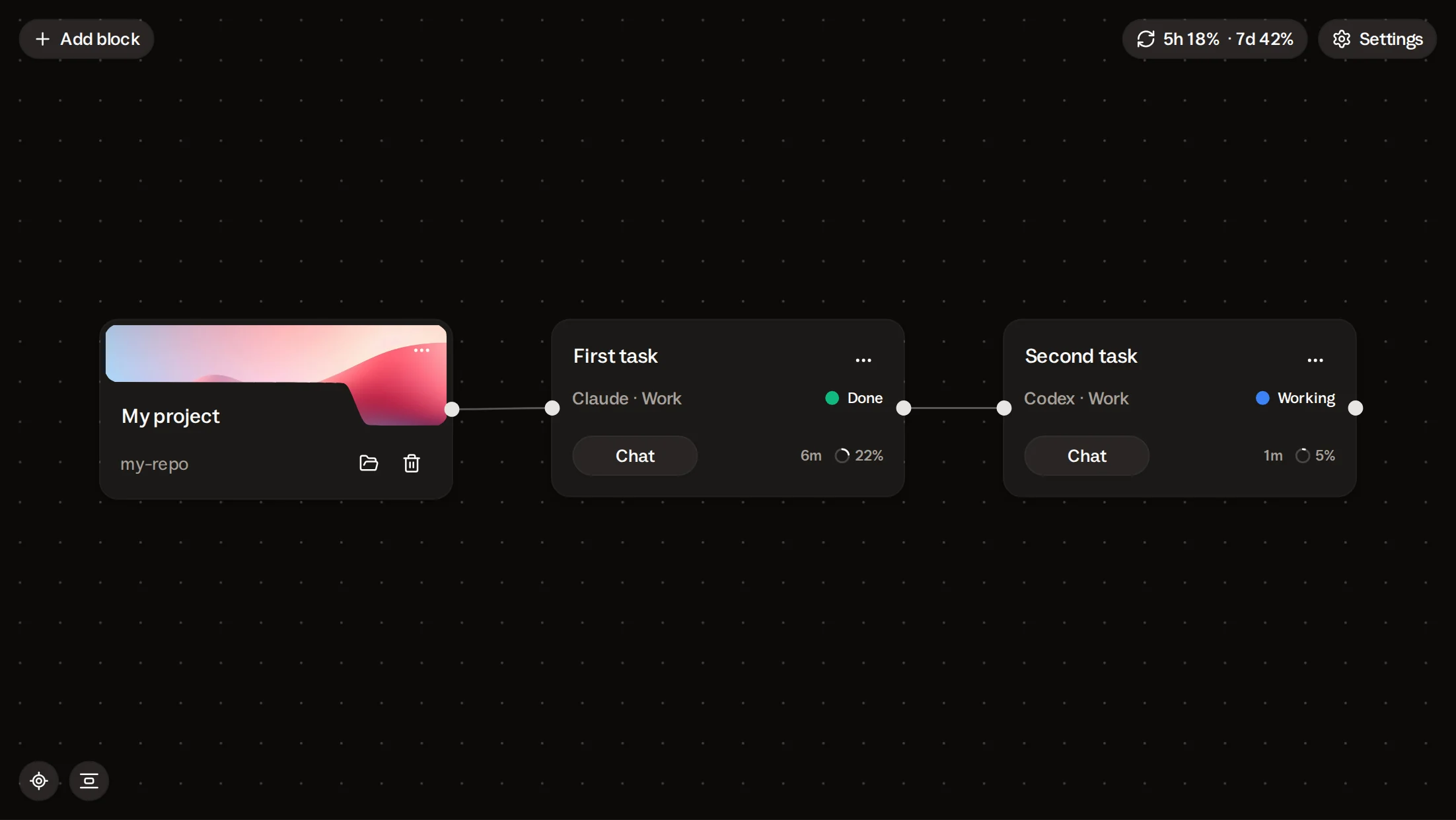
Add a project card and point it at a folder. Add two agent cards and link them. Write a message on each and send the first.
After the first card turns Done, the second starts. You see it happen on your own repo in a few minutes.
Buzzpot is free during the beta. It runs the Claude Code, Codex, or Grok CLI you have installed, and your code stays on your Mac.
Claude · Codex · Grok · macOS
Is a card the same as a session?
A card is one task with one agent conversation, and Buzzpot keeps the full history on it. Add a new card for a new task.
Can I see the agent’s terminal output?
You see the agent’s conversation, including tool use and permission requests. Buzzpot has no raw terminal pane.
How is this different from a kanban board?
On a kanban board you move tickets between columns by hand. Buzzpot has no columns. You link cards by dependency, and Buzzpot updates a card’s status as its agent works.
Do I have to arrange cards myself?
No. Buzzpot shifts cards after you add or delete one, and the Auto-layout button tidies the canvas. You can drag any card too.
What does the canvas look like on a phone?
The phone has no canvas. You get the same projects and cards as a list with statuses.