How I Ran Multiple Claude Code Sessions and Kept Losing the Thread
In six months I changed how I run multiple Claude Code sessions four times. Each setup fixed something, and with each one I lost something.
On Tuesday, somewhere around eleven in the morning, an agent finished its task and asked whether it could run a database migration. I saw the question at four in the afternoon.
I spent those five hours in the next terminal tab. Another agent was working there, and I was waiting for it to finish. It finished at noon. I missed that too. As you can tell, I'm a very attentive person.
Where all these sessions come from
I'm a designer. I build and maintain four products and I don't write code by hand: agents write it. On a normal day I have between two and eight sessions open.
My job in all this is to watch the queue and the results. Which agent needs an answer. What to check. What to start next. What has already been merged into main and what is still sitting on the side. That Tuesday showed me I wasn't keeping up with the queue.
Terminal tabs
When I first started working with agents, everything was simple. A couple of terminals, claude in each, one task apiece. Two tasks fit in your head easily, and the setup works.
But my appetite grew. By the time I was running Claude Code in multiple terminals, six of them, I no longer understood what was going on. Once I read an agent's question in one tab, switched away, got distracted, and then typed "yes", only in a different tab. The agent in the neighboring project was also waiting for permission, just for a different action. It got the permission and went ahead.
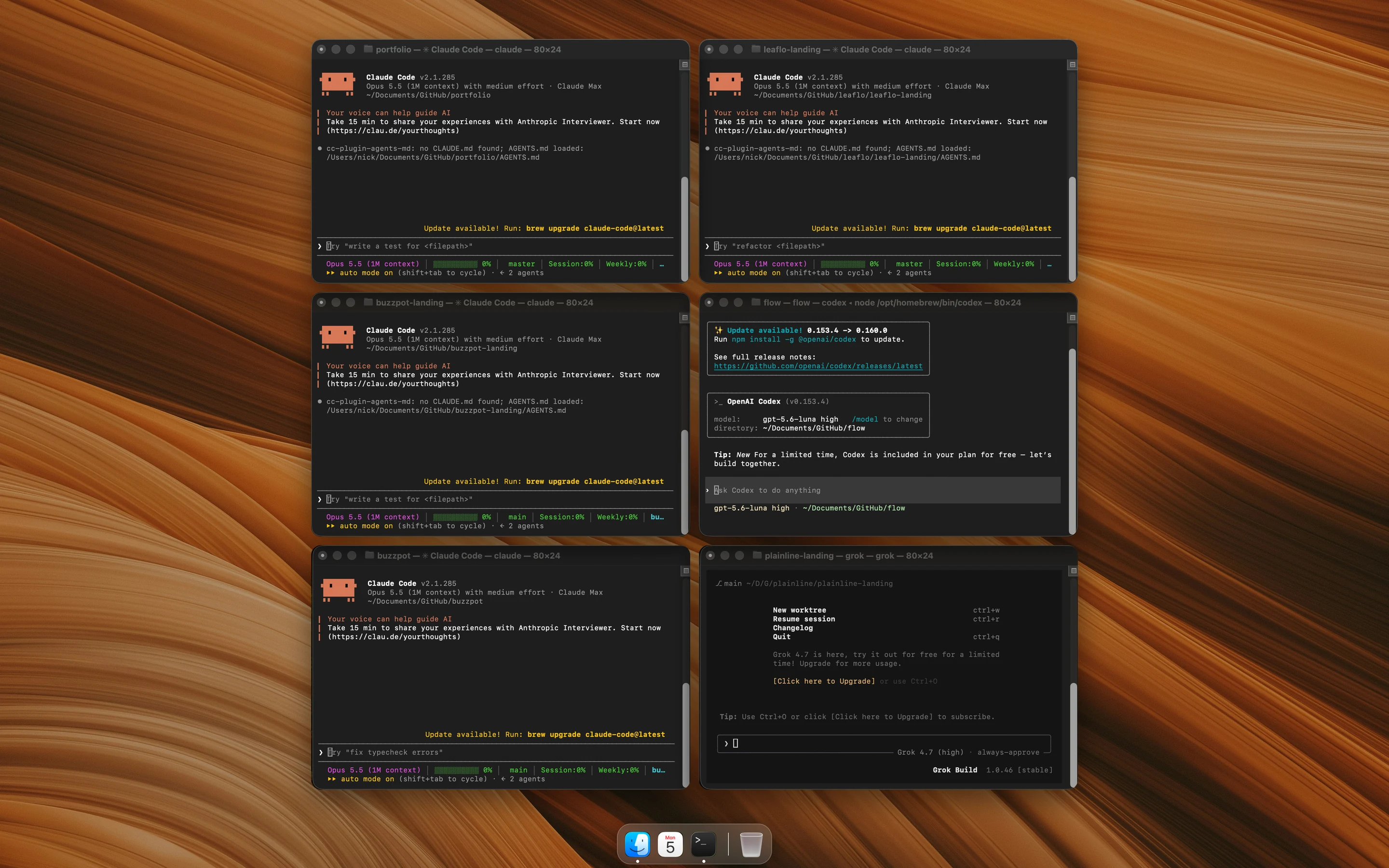
Nothing terrible happened. I made the right decision and hit the wrong window. It was a warning sign, and I started looking for a fix.
Warp
First I moved to Warp. It shows Claude Code sessions as a vertical list of tabs, and each tab has an agent status. When an agent is waiting for an answer, Warp sends a notification. That Tuesday with the migration wouldn't have happened there.
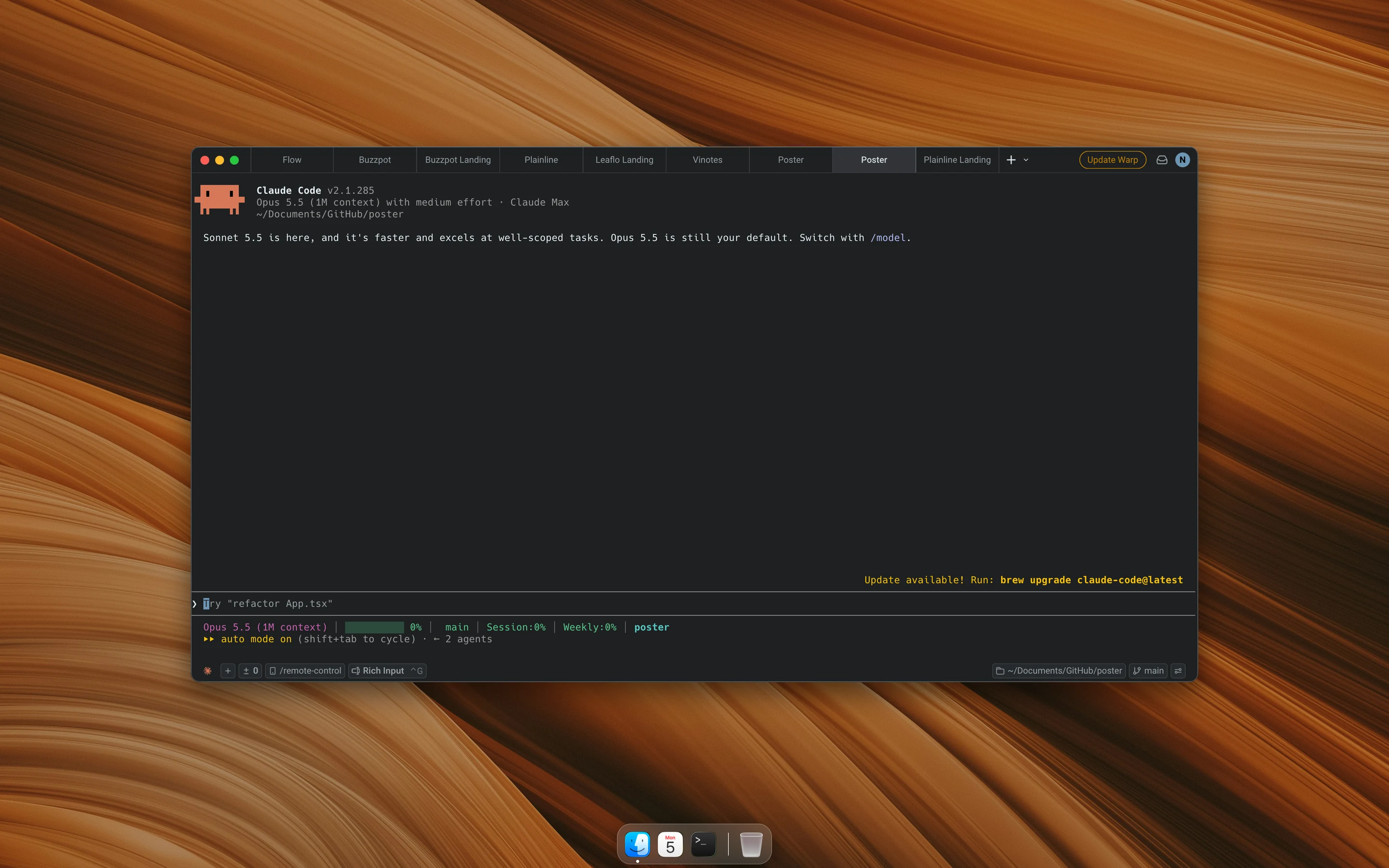
A month later, though, the list held twelve tabs from four products, all mixed together. I'd get a notification, answer the agent, and it would finish the task. But nobody started the next task, because starting it was my job. Once a call with colleagues pulled me away, and I only remembered the agent in the evening, as I was closing my laptop.
In Warp I could see who was waiting for me. What depended on what, and what to start next, I still had to keep in my head.
Agent view
Claude Code has its own dashboard for multiple sessions. The claude agents command opens a list of background sessions grouped by state: Working, Needs input, Completed, Failed.
What it gave me was file isolation. Before its first edit, a background session moves into a separate git worktree, its own copy of the repository, so two agents stopped editing the same file. Before that I separated them myself, or rather, asked for it in the prompt.
Then at some point I cleaned up the list and deleted a finished session without committing. Agent view deletes the worktree along with the session. The docs say so, but I read them afterwards. I lost a couple of hours of the agent's work.
On top of that, I kept forgetting to start the next tasks on the list. That problem I couldn't beat yet.
The orchestrator
By this point I had been through three screens, and on every one of them I was the one running the queue. I wasn't writing code, but every task passed through me twice: when an agent needed an answer and when it was time to start the next one. The agents worked faster than I could serve them.
So I handed the queue to an agent. I gave one session the plan for the week and told it not to write code. It split the plan into tasks, handed them to parallel agents and kept them in order.
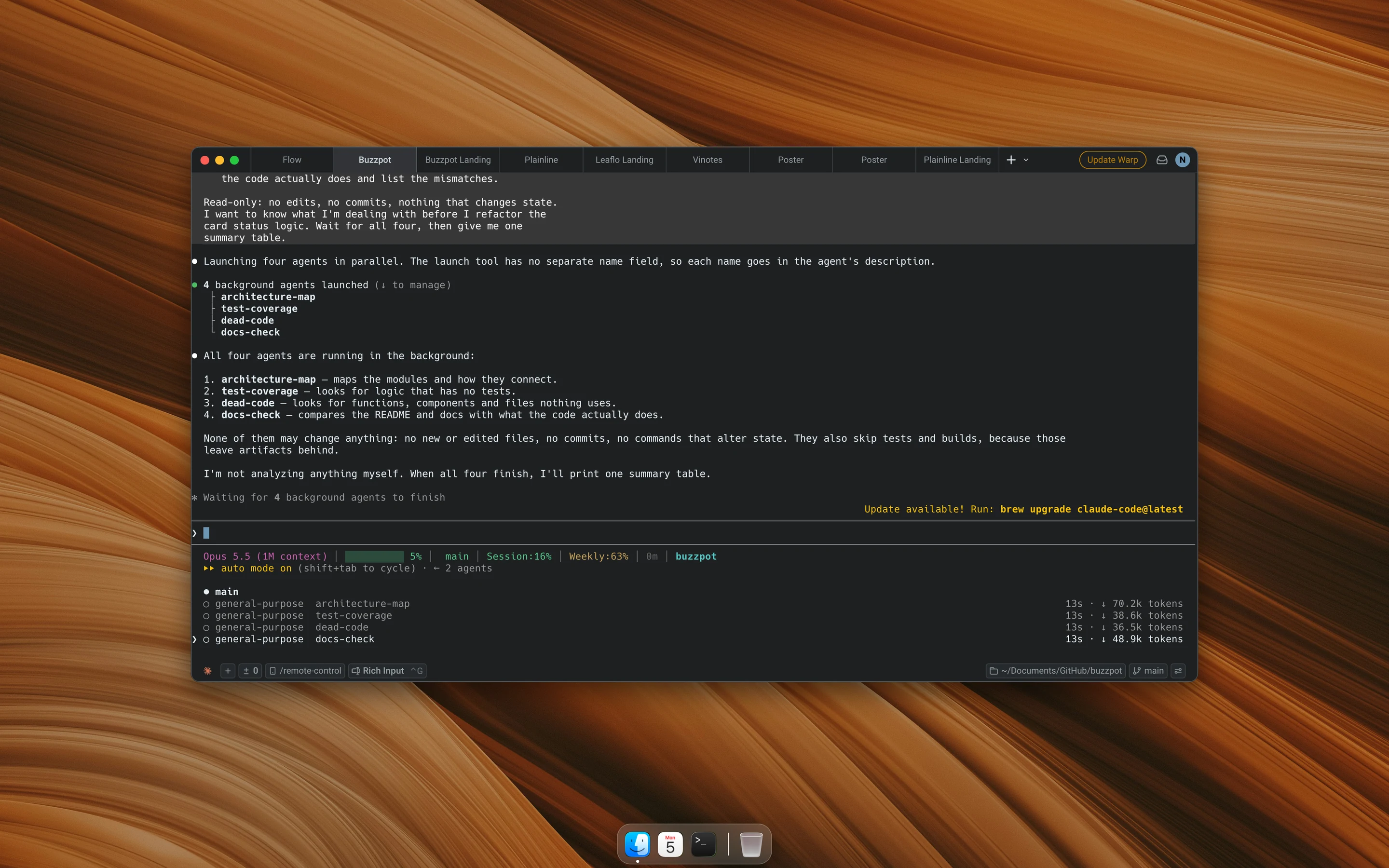
The orchestrator wrote no code, so its context lasted a long time. It started a dependent task itself once the first one finished. For review it called Codex from the command line, so one model's code was checked by another.
It was the best week in six months. In the morning I read the report and answered two or three questions. If you have one project and a big plan, start with this setup right away.
On the second project I launched a second orchestrator, then a third. They lived in three terminals, and once again I was switching windows and trying to remember which of them had asked what. I was back to tabs, except now each one held a manager of agents.
I also couldn't see the work. The orchestrator would write "8 of 11 done", and to learn which three tasks were left I had to ask and wait for a summary. It kept the plan and the links between tasks in its own context. Almost perfect, but not enough for me.
What I drew on paper
I'm a designer, so first I drew what I was missing. A rectangle meant a task. A line between two rectangles meant one task was waiting for another. Each rectangle carried one word: working, waiting for me, or done. All four products fit on one sheet.
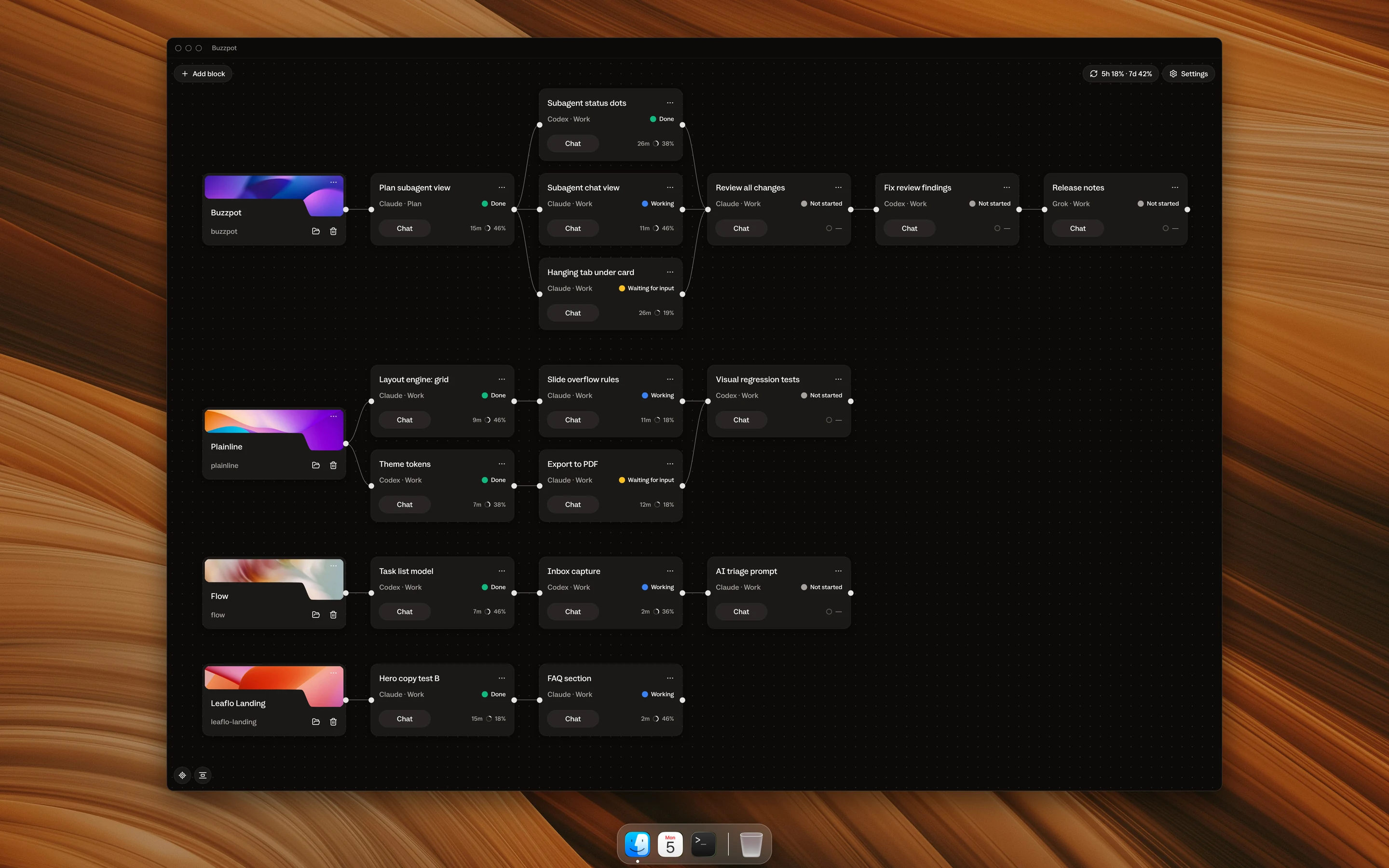
That drawing grew into Buzzpot. It's a canvas where every card holds a live conversation with an agent. The same Claude Code runs inside the card; Buzzpot doesn't replace it.
All the projects sit on one canvas, and I can see the neighboring product without switching windows. Cards are connected by lines. When the agent in the first card reports that its work is ready, the dependent card starts on its own. The task I forgot to start before lunch is now started by the canvas.
Every card shows a status: Working, Waiting for input or Done. Under a card you can see its subagents, each with a status of its own. Instead of "8 of 11 done" I see eight green dots and three still working, and I can open any of them. I talk to the agent in a chat and read what it says without the list of commands.
I run the orchestrator inside a card, one per project, so three orchestrators sit on one board. And if a task is better handed to another model, Codex and Grok work on the same canvas.
What the canvas didn't solve
Some of its limits are shared with the other setups, some are its own.
- The Mac has to stay on. The agents run on my computer, and if I turn it off, the cards stop.
- Three cards use up the limit exactly like three terminal sessions.
- Only one card at a time merges changes into a repository. The others wait their turn.
- File isolation is off by default. I turn on the Isolated workspaces switch on the project card myself.
- It's one more app. If the terminal is enough for you, you don't need a second window.
What I'd tell myself six months ago
Count projects. I spent six months picking a tool for the number of sessions, and every setup broke on the number of projects.
| Situation | What holds up |
|---|---|
| One project, two or three independent tasks | Terminal tabs, Warp or agent view |
| One project, a big plan | An orchestrator with subagents |
| Several projects, or tasks that wait on each other | A canvas, with orchestrators inside cards |
Today that Tuesday would go like this. The agent asks about the migration, the card switches to Waiting for input, and my phone gets a push with the card's name. I answer within a minute, and the card that was waiting for the migration starts on its own. Perfecto.