How I Run Multiple AI Coding Agents in Parallel, and When Each One Needs Its Own Copy of the Project
For two months I ran two or three AI agents in one project folder, and they managed, even though they kept running into each other’s code. Then I gave each agent its own branch to tidy things up. The result: code from one task in another task’s commits.
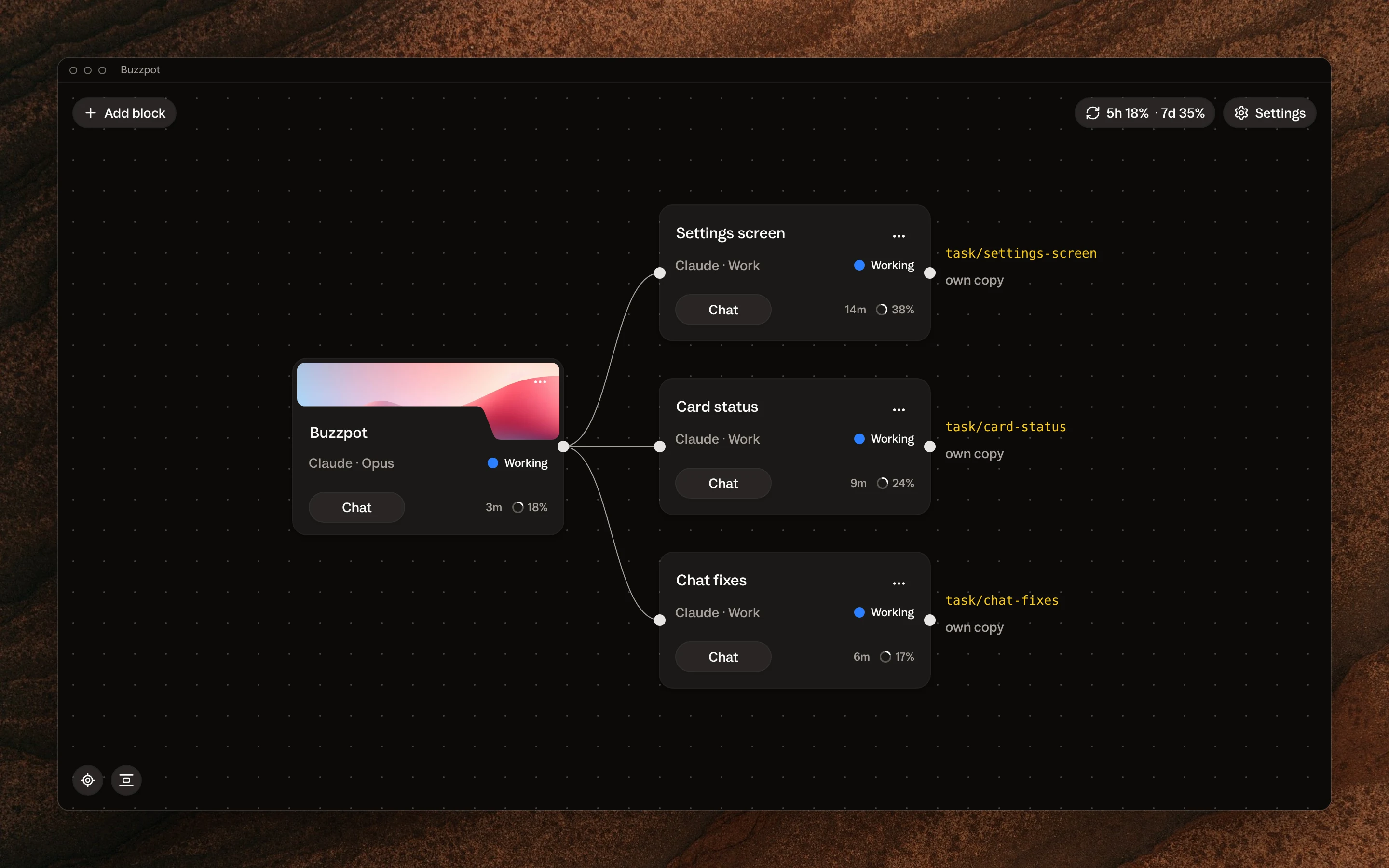
For two months I ran two or three agents in one project folder
I build Buzzpot in Buzzpot. It’s a canvas of cards where each card runs its own agent, so two or three tasks move at the same time.
One agent was fixing the settings screen, the second was adding a status to the card, the third was fixing the chat. All three worked in one project folder, on one branch.
The setup worked. The agents didn’t overwrite each other’s files, and every task got finished, because the tasks usually sat in different parts of the code. I worked like this for two months and could have kept going.
In one folder, agents kept running into each other’s code
One thing got in the way: an agent would open a file and find code it hadn’t written, because the agent next door had left it there five minutes earlier.
Then the agent would start working out whose code it was and whether it had broken it itself. Each time, that took a minute or two, plus tokens. After that the agent stepped around the unfamiliar piece and moved on.
It annoyed me. It turned out I was paying three agents to study each other’s work.
I gave each agent its own branch, and the agents started taking the folder from each other
The fix seemed obvious: every task gets its own branch. Then an agent won’t see anyone else’s code. So that’s what I did.
But the branches lived in one folder, and git keeps only one branch checked out in a folder at a time. When the first agent switched the folder to its branch, every file changed under the second agent in the middle of its work. The second one switched it back. So they took turns pulling the folder out from under each other.
Code from one task landed in another task’s commits. I wanted the agents to stop spending tokens on someone else’s code, and I ended up fixing the project instead.
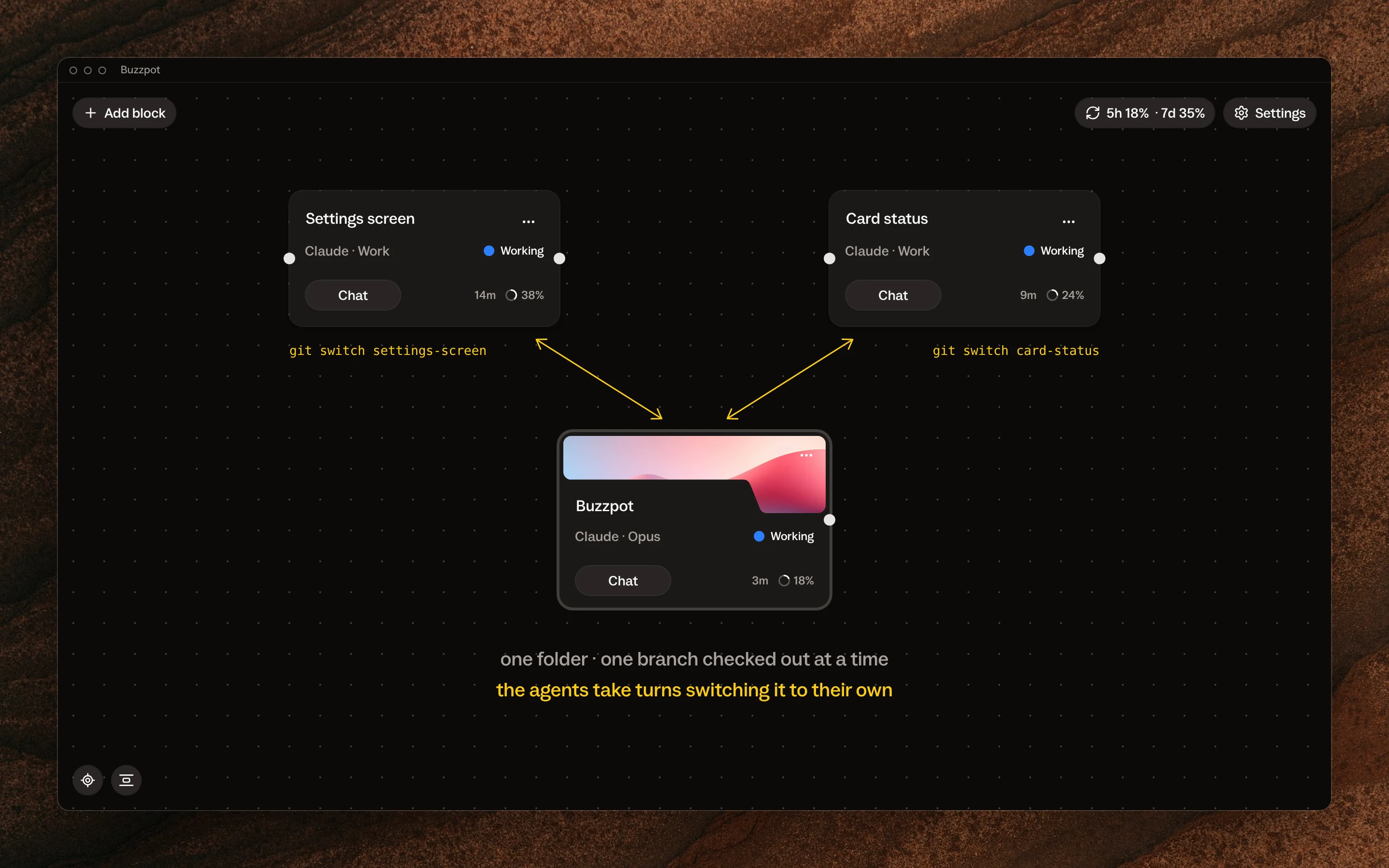
Agents in one folder only get in each other’s way over shared files
I fixed the project and sat down to work out what had happened. The conclusion was simple.
As long as tasks don’t touch each other’s files, agents work fine in one folder, even when they see each other’s edits. But if two tasks edit the same file, each one needs its own copy of the project.
In git, that copy is called a worktree. It’s a separate folder with its own branch. In it, the agent sees the project as it was the minute the task started, plus its own edits. Nobody else’s edits are there.
A branch without its own folder doesn’t help. It only gives the agents a new way to get in each other’s way.
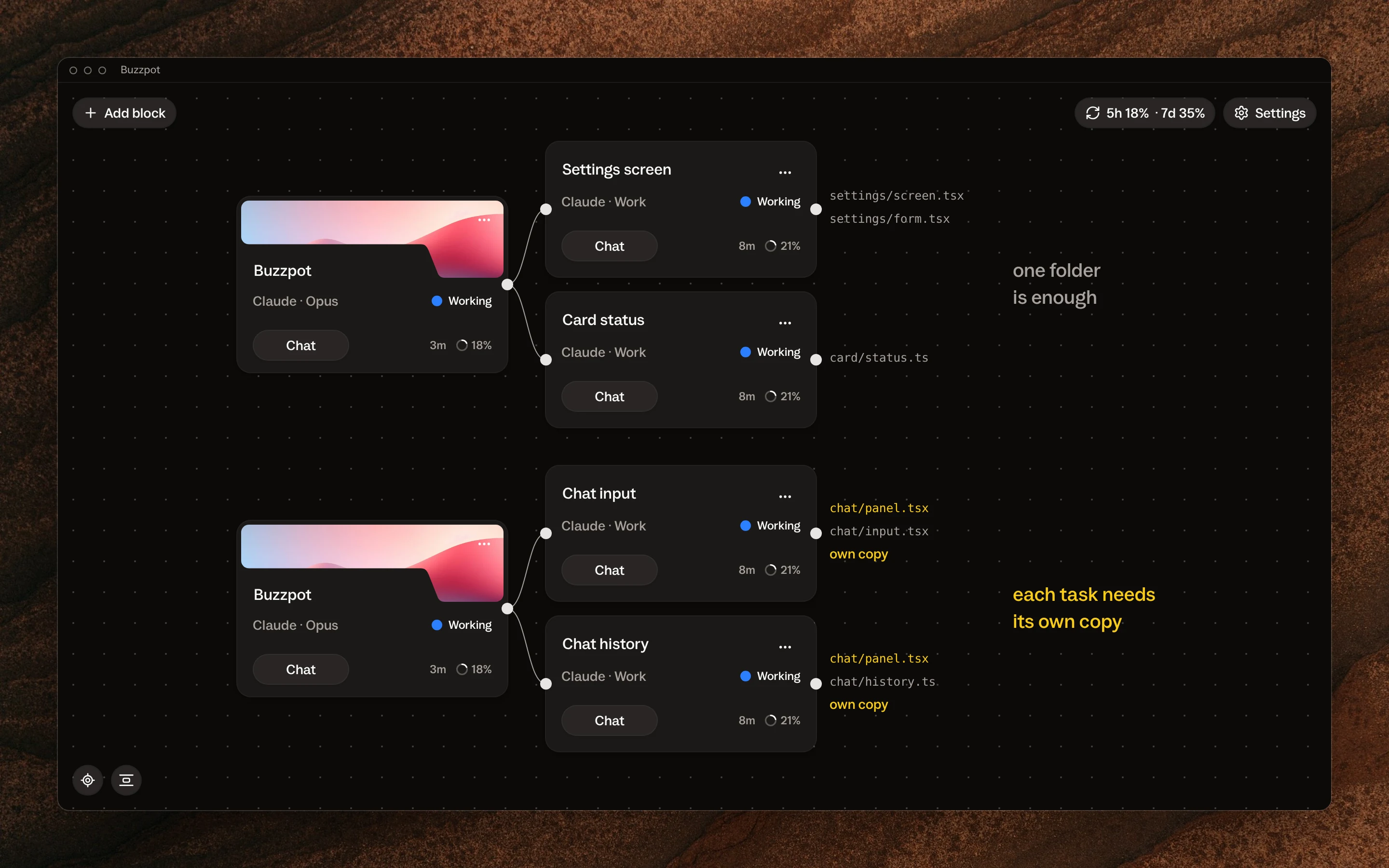
The agent decides which tasks will touch the same files
At first I thought I’d have to find the shared files myself. I have neither the time nor the knowledge for that: I don’t write code by hand.
But I don’t need to. The agent compares the tasks itself: it sees which files each one will touch and decides whether they overlap, before the first agent starts work. It’s easiest when the agent splits the plan into tasks itself.
Claude Code sometimes gives a session its own copy of the project
Claude Code can make these copies on its own. A background session from agent view, its list of background sessions, moves into a separate worktree before its first edit. The docs say so.
Sometimes Claude creates a worktree during regular work too. When exactly, and by what rule, I haven’t figured out yet, so I don’t want to rely on it while three agents are running.
In Buzzpot I turn on separate copies of the project with one switch
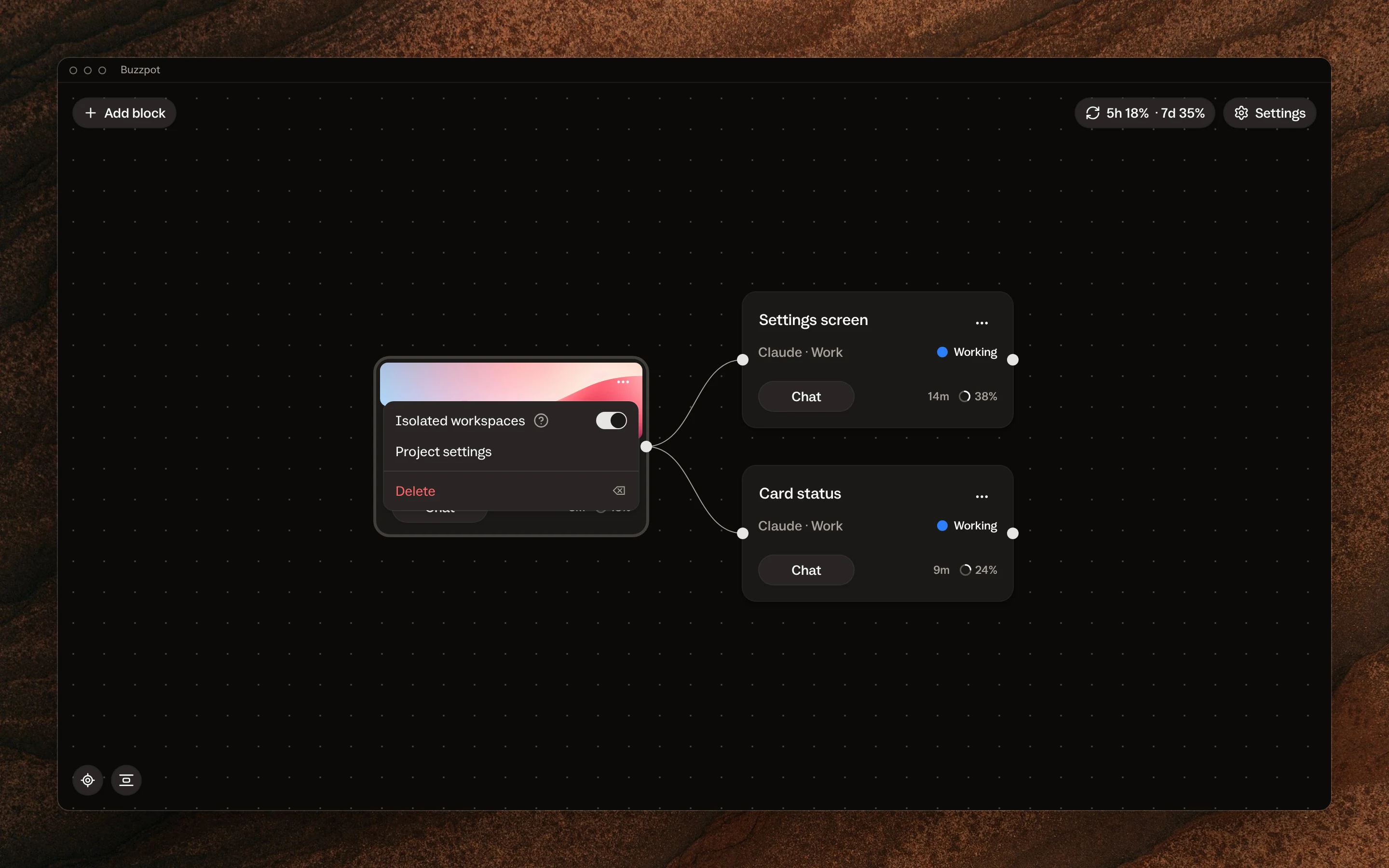
That’s why I built worktrees into Buzzpot itself. It took me a long time, but now it’s one switch, Isolated workspaces, in the project card’s menu.
When a task starts, Buzzpot gives it its own branch and its own copy of the project, and the agent no longer sees its neighbor’s half-written files. Once the agent reports it’s done, Buzzpot merges its work back into the project. Two finished tasks it merges one at a time.
I don’t have to create, name, or delete folders. The copy belongs to the card and goes away with it.
Separate copies cost tokens to merge and time to install libraries
I pay for separate copies twice. First, Buzzpot merges each copy back into the project, and that takes time and tokens. If two tasks edited the same lines, the agent spends even more tokens to bring their edits together.
The second cost comes up less often. A fresh copy of the project sometimes lacks the libraries the tests need to run, and then the agent installs them itself before moving on. There are probably other cases like this, but I haven’t run into them yet.
To me, that’s a small price. For it, the agents work on their own, in parallel, without getting in each other’s way.
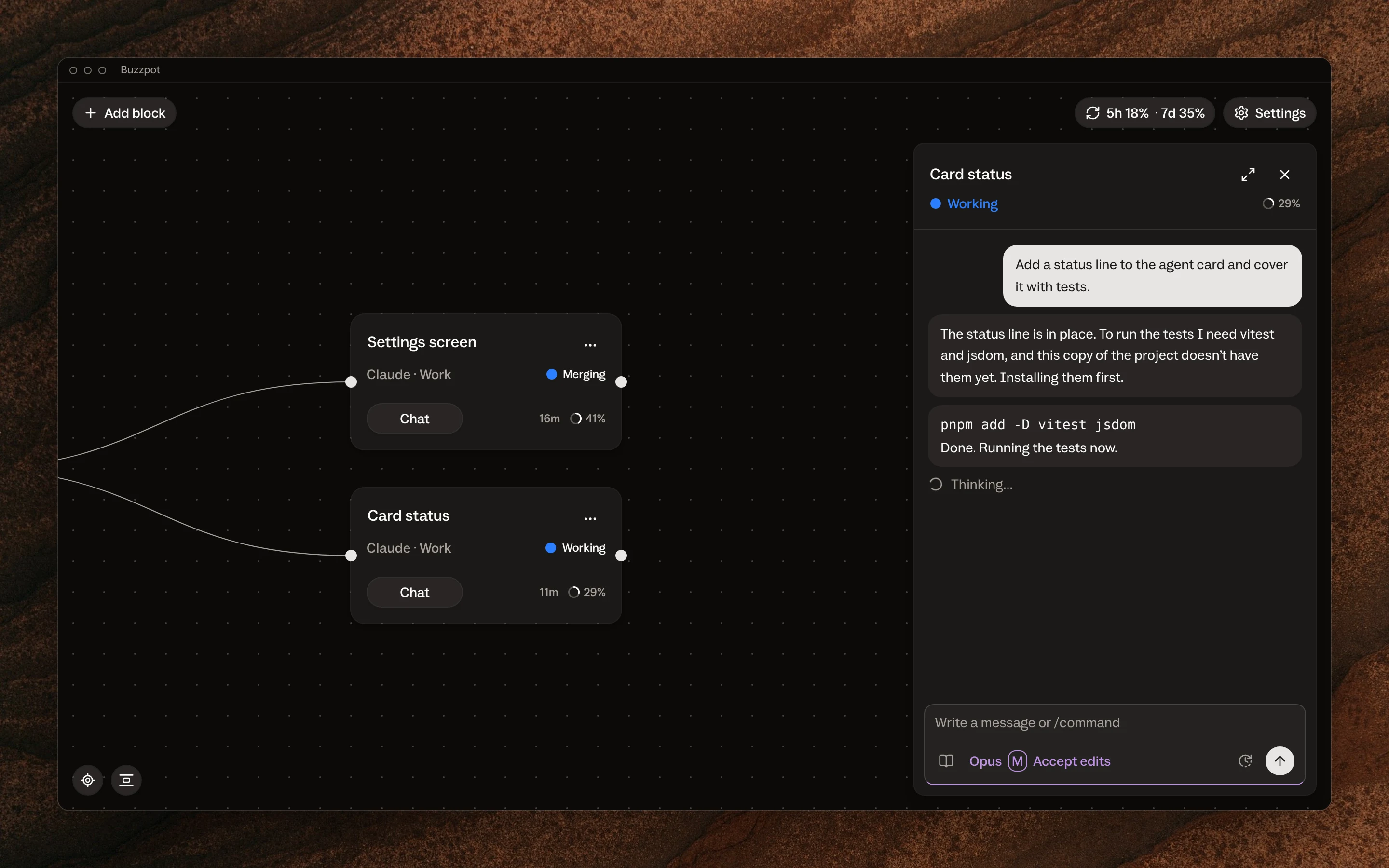
These days I keep separate copies on for every project
I have one rule. Tasks with no shared files can work in one folder. Tasks with shared files each need their own copy.
That’s why I keep separate copies on for all my projects. They cost me tokens, but I no longer keep track of which agent will wander into which files.
Run two agents in separate copies of your project in Buzzpot
If you manage multiple coding agents on one project too, try Buzzpot. It’s free during the beta and runs the Claude Code, Codex, or Grok CLI you already have on your Mac. I showed how Buzzpot takes agents from the first message to the merge on the Run coding agents in parallel page.